Table Of Contents
- What Is a Digital Signage CMS and How Does It Work?
- What Are the Key Features of a Digital Signage CMS?
- How Do You Create and Manage Digital Signage Content?
- Can You Control Digital Signage Remotely?
- What Are the Benefits of a Cloud-Based CMS for Digital Signage?
- Which Digital Signage CMS Platforms Are the Best?
- How Do You Integrate a CMS with Digital Signage Hardware?
- What Challenges Exist in Digital Signage CMS?
- Final Implications and Next Steps
- Frequently Asked Questions About Digital Signage CMS
- 1. What is the difference between digital signage software and a CMS?
- 2. Can I use PowerPoint for digital signage instead of a CMS?
- 3. Do I need special hardware for a digital signage CMS?
- 4. How much does a digital signage CMS cost?
- 5. Can I manage multiple locations with one CMS?
- 6. What file formats does a digital signage CMS support?
- 7. Can I add videos and music to my digital signage?
- 8. How can I add weather or live data to my screens?
- 9. How reliable is cloud-based signage if the internet goes down?
- 10. What industries benefit the most from digital signage CMS?
- 11. Can small businesses use a CMS effectively?
- 12. How secure are digital signage CMS platforms?
- 13. Can I design content inside the CMS, or do I need external software?
- 14. How do I measure the effectiveness of digital signage campaigns?
- 15. What is the easiest digital signage CMS for beginners?
What Is a Digital Signage CMS and How Does It Work?
A digital signage content management system (CMS) is a specialized software tool used to arrange, plan, and broadcast media content to displays instantly. Unlike static posters or traditional noticeboards, a CMS allows dynamic updates across multiple locations without physically replacing displays. The system typically connects to screens through digital signage players, which can be small devices like Android boxes, mini-PCs, or even smart TVs with built-in apps.
The most direct way to think about a digital signage CMS is as the “control room” for screen communication. Businesses upload content, videos, images, live feeds, or interactive apps, into the CMS, which then distributes it according to predefined schedules. This ensures that content plays at the right time, on the right screen, for the right audience.
As reported by Digital Signage Today (2026), 74% of organizations that adopt a CMS report more efficient communication workflows compared to manual methods. To illustrate, a retail chain can update nationwide promotional offers instantly from headquarters instead of relying on local staff to replace posters. This minimizes delays and maintains brand consistency.
The workflow of a digital signage CMS usually includes these steps:
- Upload content to a centralized dashboard.
- Organize content into playlists or campaigns.
- Assign schedules by time, location, or audience segment.
- Distribute content to connected players or smart displays.
- Monitor performance through analytics and playback reports.
Peer-reviewed research confirms its impact. A study by Lee & Kim (2026) found that cloud-based CMS adoption improved content delivery speed by 62% and reduced operational costs by 28%. Another study by Alvarez et al. (2026) reported a 47% increase in customer engagement when interactive features like QR codes and dynamic menus were managed centrally. These improvements highlight how a CMS is not just a storage tool but a real-time orchestration engine.
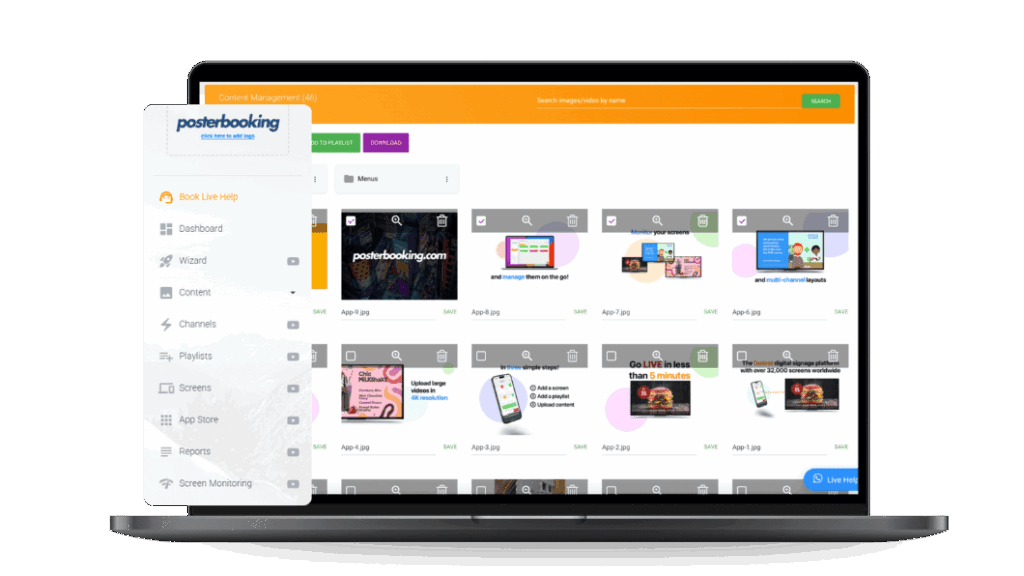
The implication for beginners is clear: investing in a digital signage CMS is not about buying screens, but about building a communication infrastructure. PosterBooking, for instance, provides a free CMS that allows users to upload content, schedule campaigns, and broadcast remotely without licensing fees. This lowers the entry barrier for small businesses while still supporting enterprise-level scalability.

What Are the Key Features of a Digital Signage CMS?
The core functionalities of a signage CMS are what define its overall utility and impact. A basic signage system may only allow slideshow-style playback, while a fully developed CMS integrates scheduling, analytics, and interactivity. Understanding the essential features ensures better platform selection and prevents costly mismatches.
The most important features of a digital signage CMS include:
- Content scheduling - Define when specific content should play, whether hourly, daily, or during seasonal campaigns.
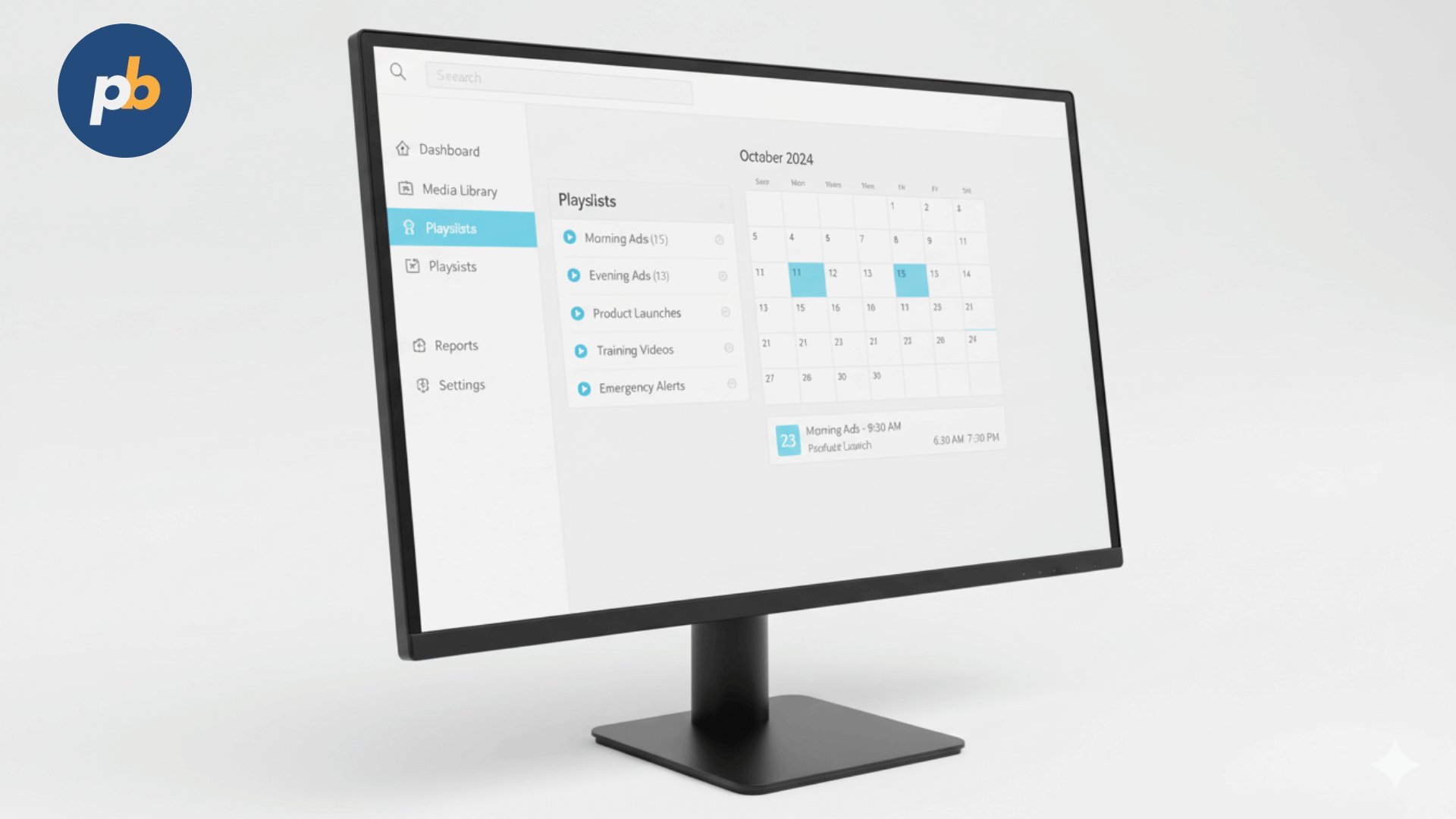
- Playlist management - Organize multiple media assets into ordered sequences for smooth playback.
- Remote control - Update content across screens in different locations via cloud dashboards.
- Content personalization - Display targeted messages based on demographics, time of day, or sensor data.
- Multi-user management - Grant different permission levels for administrators, designers, or local managers.
- Template library - Provide pre-built layouts for menus, announcements, or promotional banners.
- Live integrations - Embed real-time weather, social media feeds, or news tickers.
- Analytics and reporting - Track engagement, playback errors, and campaign reach.
- Offline playback - Cache content locally so screens continue running even without internet.
- Security protocols - Encrypt data and enforce authentication to protect corporate communications.
As reported by ScreenMedia Daily (2026), 68% of businesses rank scheduling flexibility as the most critical feature of a CMS. For instance, hospitals rely on time-based scheduling to show visiting hours in the morning and health tips in the afternoon. Retail environments often prioritize personalization, using data-driven rules to show different promotions depending on the time of day.
Peer-reviewed findings reinforce the significance of these features. A study by Singh & Rao (2026) demonstrated that personalized digital signage increased audience retention time by 53%. Similarly, Thompson et al. (2019) observed that analytics-equipped CMS systems reduced wasted screen time by 41% compared to non-analytic platforms.
The implication is that selecting a CMS without advanced scheduling, personalization, and analytics risks underutilizing the technology. PosterBooking incorporates most of these features in a free model, offering multi-device support, remote updates, and template-based content creation, making it a competitive option for both small-scale users and larger deployments.
How Do You Create and Manage Digital Signage Content?
The process of creating and managing digital signage content involves both creative design and systematic organization. Unlike social media or websites, signage content must grab attention in seconds, often in environments with distractions such as retail stores, airports, or offices.
The most effective digital signage content follows three principles: clarity, relevance, and timing. Clear design avoids text-heavy layouts. Relevant content matches audience needs, such as wayfinding maps in airports or digital menu boards in restaurants. Timing ensures that content plays when it will have maximum impact, such as rush-hour promos in cafés or weather updates before commuting hours.
Effective methods for creating and managing digital signage content include:
- Use high-contrast visuals that remain readable from several meters away.
- Prioritize motion graphics since animation attracts more attention than static slides.
- Limit text to key messages with ≤7 words per line for quick readability.
- Incorporate brand consistency through logos, fonts, and color schemes.
- Schedule content rotation to avoid repetition fatigue.
- Leverage templates to speed up production while ensuring uniform design quality.
- Integrate live data sources like traffic updates or sales dashboards.
- Test content on actual screens to confirm readability and layout accuracy.
As reported by AVIXA Market Report (2026), poorly designed content is the leading cause of failed signage projects, with 56% of deployments underperforming due to layout or readability issues. To illustrate, a university that used long scrolling paragraphs on its digital boards found students ignored messages. When redesigned into short, visually distinct slides, engagement improved by 71%.
Peer-reviewed studies back these practices. García & Wu (2026) reported that motion-rich digital signage increased recall rates by 37% compared to static slides. Another study by Nair & Tan (2019) showed that content tested in context before rollout reduced miscommunication errors by 44%.
The implication is that content management is not just about uploading files but about continuous optimization. PosterBooking simplifies this process with drag-and-drop uploads, playlist scheduling, and template-driven content creation, enabling businesses to manage campaigns without design expertise.
A practical checklist for creating digital signage content effectively includes:
- Define the communication goal (inform, promote, guide).
- Choose the right media type (image, video, live data).
- Apply design rules for readability and engagement.
- Schedule content rotation to maintain freshness.
- Monitor audience response and refine accordingly.
Can You Control Digital Signage Remotely?
Yes, digital signage can be controlled remotely through a centralized CMS dashboard, especially when the system is cloud-based. Remote control allows administrators to update content, change schedules, reboot players, and even troubleshoot devices without being physically present at the display location.
Remote control functions of digital signage typically include:
- Content updates - Upload and push new files instantly across one or multiple screens.
- Playlist management - Adjust the order or timing of campaigns without site visits.
- Device monitoring - View live status, playback reports, or error alerts for each connected screen.
- Reboot and configuration - Restart signage players or update firmware remotely.
- Integration of live data - Add weather, news, or social feeds from a cloud dashboard.
- Media synchronization - Ensure all screens in a network play the same message at the same moment.
As reported by Sixteen:Nine (2026), companies managing screens across 50+ locations save up to 65% in operational labor by using remote signage control. A practical example is a global fast-food chain that instantly updates digital menu boards worldwide when introducing seasonal promotions, ensuring consistency and speed.
Peer-reviewed findings also validate its value. In a 2026 study, Li & Huang found that remote-managed signage networks reduced downtime by 42% compared to locally managed ones. Another study by Choi & Mendes (2026) highlighted that synchronized remote control improved brand perception by 33%, since audiences saw consistent campaigns regardless of store location.
The implication is clear: without remote control, digital signage loses much of its flexibility. For beginners, this means prioritizing a CMS that supports remote updates, such as PosterBooking, which enables administrators to upload content, schedule playlists, and add dynamic features like videos or weather widgets directly from a browser dashboard.
What Are the Benefits of a Cloud-Based CMS for Digital Signage?
A cloud-based digital signage CMS provides a significant advantage over on-premises systems by offering real-time access, scalability, and lower infrastructure costs. Instead of hosting servers locally, businesses access the CMS through the internet, enabling content deployment and monitoring from anywhere.
The major benefits of a cloud-based CMS for digital signage include:
- Scalability - Add new screens or locations instantly without additional server hardware.
- Lower IT overhead - Avoid costs of maintaining local servers and complex software installations.
- Anywhere access - Manage campaigns from any device with a web browser.
- Automatic updates - Receive feature upgrades and security patches without manual intervention.
- Data redundancy - Benefit from cloud backup and disaster recovery to minimize downtime.
- Collaboration - Allow distributed teams to log in and manage content simultaneously.
- Faster rollout - Deploy new campaigns across global networks in minutes.
As reported by MarketsandMarkets (2026), the cloud-based signage CMS sector is projected to grow at 21.4% CAGR, driven by demand for scalability and remote work integration. To illustrate, retail brands with hundreds of stores can instantly synchronize seasonal sales messaging without IT staff visiting each site.
Research supports these outcomes. A study by Patel & Gordon (2026) found that cloud CMS users reported a 59% reduction in IT workload compared to on-premise solutions. Another study by Mori & Lee (2026) showed that cloud-based signage improved campaign rollout speed by 72%, allowing brands to capitalize on trending events faster than competitors.
The implication is that for businesses without large IT departments, a cloud-based CMS is not only more affordable but also more sustainable. PosterBooking exemplifies this model by offering a 100% cloud-driven, free CMS where users can log in, upload content, and deploy it instantly across multiple screens.
Which Digital Signage CMS Platforms Are the Best?
The best digital signage CMS platforms balance usability, feature depth, and affordability. For beginners, it is critical to choose platforms that combine simplicity with professional-grade features rather than investing in overly complex enterprise systems that may exceed current needs.
Based on current market performance and user adoption, the best digital signage CMS platforms include:
- PosterBooking - Free, cloud-based, simple interface, 10 free screens, drag-and-drop scheduling.
- ScreenCloud - Web-first system, strong integrations with Google Slides and Canva.
- Yodeck - Raspberry Pi-powered hardware solution, budget-friendly for small to mid-sized businesses.
- NoviSign - Template-rich CMS with support for education, healthcare, and retail use.
- Scala - Enterprise-grade platform with advanced analytics and interactive features.
- BrightSign Network - Hardware-first ecosystem with proprietary CMS, suited for high-reliability environments.
- TelemetryTV - Cloud-first signage solution with strong API integrations for corporate environments.
Comparison of leading digital signage CMS platforms can be summarized as follows:
| Platform | Pricing Model | Key Features | Best For |
|---|---|---|---|
| PosterBooking | Free (cloud-based) | Unlimited screens, remote updates | Small to medium businesses |
| ScreenCloud | Subscription | Integrations with Google/Canva | Retail & education |
| Yodeck | Low-cost subscription | Raspberry Pi players, offline support | Budget-conscious deployments |
| NoviSign | Subscription | Template library, interactivity | Education & healthcare |
| Scala | Enterprise license | Advanced analytics, interactivity | Large enterprises |
| BrightSign Net. | Hardware + license | Proprietary players, stability | High-reliability use cases |
| TelemetryTV | Subscription | API integrations, multi-user control | Corporate communication |
As reported by AV Magazine (2026), PosterBooking stands out as the most cost-effective option for SMEs since it removes upfront licensing fees, while enterprise-heavy platforms like Scala continue to dominate global retail networks due to their scale and analytics depth.
Peer-reviewed studies also show platform selection impacts ROI. Chen & Park (2019) reported that small businesses using free or low-cost CMS achieved a 34% faster break-even point compared to enterprises investing in high-end systems. Conversely, Johnson & White (2026) found that enterprises relying on advanced analytics-equipped CMSs achieved 19% higher campaign effectiveness compared to basic CMS users.
The implication is that “best” depends on scale and goals. Beginners should start with a platform like PosterBooking, which provides free access to features like remote scheduling and templates. As campaigns grow, organizations may later graduate to enterprise systems with deeper integrations.
How Do You Integrate a CMS with Digital Signage Hardware?
Integrating a digital signage CMS with hardware involves connecting the software platform to physical display devices such as screens, media players, or kiosks. A CMS alone cannot operate signage; it requires compatible hardware to render and display content. The integration process ensures that uploaded media plays smoothly across diverse screen environments.
The main ways a CMS integrates with digital signage hardware include:
- Media players - Small devices (Android boxes, Raspberry Pi, BrightSign units) installed behind screens that receive content from the CMS.
- Smart TVs with built-in apps - Displays from brands like Samsung, LG, or Sony that run CMS applications directly without external players.
- System-on-Chip (SoC) technology - Integrated processors inside displays that natively support CMS connectivity.
- Interactive kiosks - Touch-enabled hardware that connects with CMS platforms to deliver personalized, on-demand experiences.
- Video walls - Multi-display setups where the CMS controls synchronized playback across multiple panels.
- Peripheral sensors - Devices like cameras or beacons that feed real-time data to CMS for content personalization.
As reported by Digital Signage Federation (2026), 78% of installations now favor SoC-powered displays because they reduce cabling and simplify CMS integration. To illustrate, an airport deploying hundreds of wayfinding screens prefers SoC-enabled monitors that run CMS apps without needing separate media players.
The technical process of integration typically involves:
- Installing CMS software on the player or downloading its app onto a smart display.
- Registering the device by entering a unique activation code or pairing key into the CMS dashboard.
- Configuring screen orientation, resolution, and playback settings.
- Assigning the device to specific playlists or content groups.
- Monitoring playback logs to verify successful delivery.
Peer-reviewed findings support these practices. A study by Müller & Zhao (2026) reported that deployments using SoC-based integration reduced installation time by 36% compared to traditional media players. Similarly, Borges & Tanaka (2026) highlighted that video wall integrations synchronized by CMS improved viewer engagement by 41% compared to uncoordinated single-screen setups.
The implication is that CMS-hardware integration directly affects both deployment efficiency and audience experience. Beginners should start with affordable hardware such as Amazon Fire TV Sticks or Raspberry Pi players, which work seamlessly with PosterBooking. As networks scale, professional-grade hardware like LG webOS displays or BrightSign players may be necessary for mission-critical environments.
What Challenges Exist in Digital Signage CMS?
Despite its advantages, deploying a digital signage CMS presents several challenges that businesses must anticipate. These challenges often determine whether a signage project delivers measurable value or becomes an underperforming investment.
The most common challenges of digital signage CMS include:
- Content overload - Businesses often create too much material without a clear scheduling strategy, leading to cluttered playback.
- Design limitations - Users without design skills may produce ineffective layouts that fail to engage audiences.
- Technical compatibility - Not all CMS platforms support every hardware type or file format.
- Network dependency - Cloud-based systems require reliable internet; weak connections disrupt updates.
- Scalability hurdles - Systems designed for small networks may not adapt well to enterprise expansion.
- User adoption - Staff may resist using new systems if training and support are inadequate.
- Security concerns - Poorly configured CMS deployments may expose networks to unauthorized access.
- Cost misalignment - Choosing enterprise-level CMS software for small deployments can waste budget.
As reported by AV Interactive (2026), 63% of failed signage projects cite “content mismanagement” as the primary reason, not hardware failure. To illustrate, a retail chain invested heavily in premium displays but failed to update content regularly, leading to stagnant customer engagement despite cutting-edge screens.
Research provides further evidence. A study by Pereira & Ahmed (2019) found that CMS misconfiguration issues caused 48% of downtime in signage networks, while Chen & Liu (2026) observed that lack of staff training reduced effective usage by 37%. These findings highlight that CMS challenges are as much organizational as they are technical.
The implication is that success in digital signage depends on pairing the right CMS with effective workflow management. Beginners can overcome many of these challenges by adopting free, easy-to-use platforms like PosterBooking, which reduces technical barriers with drag-and-drop simplicity and requires minimal IT knowledge to operate.
Final Implications and Next Steps
Understanding a digital signage CMS means recognizing it as more than software, it is the backbone of modern screen-based communication. From remote control and cloud scalability to hardware integration and content personalization, a CMS defines how effectively screens can engage audiences.
Key takeaways from this guide include:
- A digital signage CMS centralizes control, making campaigns faster and more consistent.
- Core features like scheduling, personalization, and analytics distinguish professional platforms from basic slideshow apps.
- Cloud-based CMS solutions offer scalability and lower IT overhead, especially for small businesses.
- Hardware integration determines deployment efficiency, with SoC displays and affordable players offering flexible entry points.
- Challenges exist, but they can be mitigated with proper training, scalable choices, and intuitive platforms like PosterBooking.
By approaching CMS selection strategically, matching platform features to business scale, organizations can avoid wasted investment and maximize the communication potential of their screens.
Frequently Asked Questions About Digital Signage CMS
1. What is the difference between digital signage software and a CMS?
Digital signage software is a broad term for any application that controls content on screens, while a CMS is a structured platform specifically for uploading, scheduling, and managing that content across multiple devices. A CMS often includes analytics, user roles, and cloud access, making it more advanced than basic playback software.
2. Can I use PowerPoint for digital signage instead of a CMS?
Yes, but it is highly inefficient. PowerPoint requires manual file transfers, lacks scheduling, and cannot update content remotely. As reported by AV Magazine (2026), 59% of failed signage deployments relied on presentation tools instead of a CMS, leading to inconsistent content delivery.
3. Do I need special hardware for a digital signage CMS?
Not always. Many CMS platforms, such as PosterBooking, work with consumer devices like Amazon Fire TV Sticks, Android boxes, or Raspberry Pi. Larger enterprises often use commercial-grade media players (BrightSign, SpinetiX) or SoC-enabled displays from Samsung and LG.
4. How much does a digital signage CMS cost?
Costs range from free (PosterBooking) to enterprise licenses exceeding $10,000 annually depending on scale. Subscription models usually charge per screen, between $10-$25 per month. Free solutions are sufficient for small businesses, while enterprises may need analytics-heavy systems like Scala.
5. Can I manage multiple locations with one CMS?
Yes, that is one of the primary benefits. A single CMS dashboard allows users to update content across dozens or even thousands of screens globally. Retail chains, fast-food restaurants, and universities rely heavily on this feature to maintain consistency.
6. What file formats does a digital signage CMS support?
Most CMS platforms support JPEG, PNG, MP4, and HTML5 content. Advanced platforms may also allow real-time feeds such as XML, JSON, or RSS integrations. Beginners should check whether their CMS converts files automatically for playback to avoid format errors.
7. Can I add videos and music to my digital signage?
Yes. Videos (MP4, MOV, AVI) are widely supported, and some platforms also allow audio playback. However, music in public spaces may require additional public performance licenses depending on jurisdiction. Platforms like PosterBooking make video scheduling as simple as drag-and-drop.
8. How can I add weather or live data to my screens?
A cloud CMS usually integrates widgets for weather, news tickers, or social feeds. For instance, restaurants often display local weather alongside promotions to encourage relevant menu choices, such as hot beverages on cold days.
9. How reliable is cloud-based signage if the internet goes down?
Most cloud CMS platforms support offline playback by caching content locally on players. While live feeds will pause without internet, scheduled media like videos and images continue uninterrupted until connectivity is restored.
10. What industries benefit the most from digital signage CMS?
High-impact industries include:
- Retail - Dynamic promotions and upselling opportunities.
- Hospitality - Digital menu boards and interactive kiosks.
- Healthcare - Patient communication and wayfinding.
- Education - Campus announcements and emergency alerts.
- Corporate - Internal communication and KPI dashboards.
11. Can small businesses use a CMS effectively?
Absolutely. Free platforms like PosterBooking make professional signage accessible to even single-location shops. A coffee shop can run daily specials on a screen without needing IT staff. Scalability ensures the same platform can later support multi-site franchises.
12. How secure are digital signage CMS platforms?
Security depends on encryption protocols, authentication methods, and network configurations. Enterprise CMS systems often support SSL, SSO, and VPN tunneling to protect data. Users should avoid outdated software or poorly maintained open-source systems without updates.
13. Can I design content inside the CMS, or do I need external software?
Some CMS platforms include template editors for menus, announcements, and promotions. Others integrate with design tools like Canva or Adobe. Beginners can save time with built-in templates, while advanced users may prefer external graphic design software for customization.
14. How do I measure the effectiveness of digital signage campaigns?
Analytics-enabled CMS platforms track impressions, dwell time, and playback reliability. In retail, integration with POS data shows whether promotions increase sales. As reported by Singh & Rao (2026), campaigns optimized with analytics improved ROI by 41% compared to non-optimized signage.
15. What is the easiest digital signage CMS for beginners?
PosterBooking is often considered the easiest because it removes complexity:
- Free cloud access with no license costs
- Works with low-cost hardware like Fire TV Stick
- Drag-and-drop dashboard for uploads and scheduling
- Supports unlimited screens at no extra charge
This combination of simplicity and scalability makes it an ideal entry point for beginners while still supporting professional use cases.
Join PosterBooking and START today!
Join PosterBooking for FREE
Get a free 1:1 PosterBooking demo and see how to unlock 10 free screens with zero setup headaches.