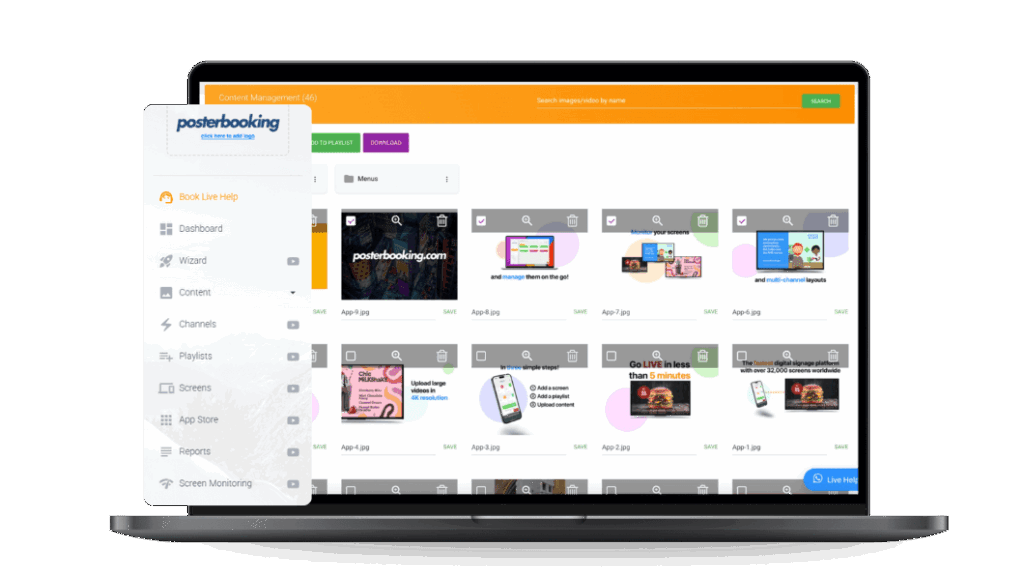
A digital signage media player is the hidden engine that powers modern display networks. Whether it’s a retail video wall, a corporate lobby screen, or a restaurant menu board, the media player sits between the content management system (CMS) and the display hardware, ensuring that visuals run smoothly, update remotely, and remain reliable around the clock.
Unlike smart TVs or general-purpose computers, digital signage media players are engineered specifically for 24/7 operation, multi-format playback, and large-scale deployments. Businesses that rely on static posters or consumer devices often run into limitations - unreliable performance, limited control, and higher long-term costs.
In this guide, we’ll break down what a digital signage media player is, why it’s important, how it works, and the different types available. We’ll also cover key specifications to look for, setup best practices, and the most common mistakes businesses make when deploying these systems.
Table Of Contents
- What Is a Digital Signage Media Player?
- Why Is a Media Player Important in Digital Signage Systems?
- How Does a Digital Signage Media Player Work Technically?
- Media Player Workflow Architecture
- What Hardware Components Are in a Digital Signage Media Player?
- What Software Runs on Digital Signage Media Players?
- How Does a Digital Signage Media Player Connect to Displays and Networks?
- What Are the Main Types of Digital Signage Media Players?
- What Are Standalone Digital Signage Media Players?
- What Are System-on-Chip (SoC) Media Players?
- What Are OPS Slot-In Media Players for Digital Signage?
- How Do Cloud-Based Digital Signage Media Players Work?
- What Key Specifications Should Be Considered in a Digital Signage Media Player?
- Spec Comparison: Entry-Level vs Mid-Range vs High-End Media Players
- How Important Is Processing Power in a Digital Signage Media Player?
- Why Does Storage Type and Capacity Matter in Media Players?
- How Does Connectivity Define Media Player Performance?
- How Do You Set Up a Digital Signage Media Player?
- Step-by-Step Setup Guide
- How Do You Connect a Digital Signage Media Player to a CMS?
- How Do You Configure Media Players for Multi-Screen Retail or Corporate Environments?
- What Are the Common Mistakes Businesses Make with Digital Signage Media Players?
- Why Is Choosing the Wrong Media Player OS a Problem?
- How Does Overheating Affect Digital Signage Media Players?
- Why Is Ignoring Remote Management a Costly Mistake?
- How Much Does a Digital Signage Media Player Cost?
- Media Player Cost Breakdown by Tier
- What Factors Influence the Price of a Digital Signage Media Player?
- How Do Subscription Models Affect the Total Cost of Ownership?
- What Is the ROI of a Digital Signage Media Player Investment?
- ROI Formula
- How Do Media Players Contribute to Sales Lift in Retail and Hospitality?
- How Do Media Players Reduce Operational Costs?
- What Are the Leading Digital Signage Media Player Brands and Vendors?
- Vendor Comparison Chart
- Why Is BrightSign Considered the Market Leader for Media Players?
- How Do Android-Based Media Players Compare to Proprietary Solutions?
- Can Low-Cost Options Like Raspberry Pi Work for Digital Signage?
- How Can Businesses Measure the Performance of Digital Signage Media Players?
- What KPIs Should Be Tracked for Media Player Performance?
- How Does Remote Monitoring Improve Media Player Reliability?
- What Are Real-World Case Studies of Digital Signage Media Player Deployments?
- How Did a Global Retail Chain Use BrightSign Players to Standardize Signage?
- How Do Quick Service Restaurants Use Media Players for Menu Boards?
- How Do Corporate Offices Leverage Media Players for Internal Communications?
- What Compliance and Security Considerations Apply to Digital Signage Media Players?
- How Do Media Players Ensure Data Security in Cloud Deployments?
- What Physical Security Risks Do Media Players Face in Public Locations?
- What Are the Future Trends in Digital Signage Media Players?
- 5 Innovations Shaping the Next Decade of Media Players
- How Will AI and Machine Learning Transform Media Players?
- What Role Will Edge Computing Play in Digital Signage Media Players?
- How Will Sustainability Influence Future Media Player Designs?
- What Are the Most Frequently Asked Questions About Digital Signage Media Players?
- Can a Smart TV Replace a Digital Signage Media Player?
- How Long Do Digital Signage Media Players Last?
- Do Media Players Work Without an Internet Connection?
- Can One Media Player Power Multiple Screens?
- What Is the Difference Between a Media Player and a CMS?
- What Is a Digital Signage Media Player?
- Why Is a Media Player Important in Digital Signage Systems?
- How Does a Digital Signage Media Player Work Technically?
- Media Player Workflow Architecture
- What Hardware Components Are in a Digital Signage Media Player?
- What Software Runs on Digital Signage Media Players?
- How Does a Digital Signage Media Player Connect to Displays and Networks?
- What Are the Main Types of Digital Signage Media Players?
- What Are Standalone Digital Signage Media Players?
- What Are System-on-Chip (SoC) Media Players?
- What Are OPS Slot-In Media Players for Digital Signage?
- How Do Cloud-Based Digital Signage Media Players Work?
- What Key Specifications Should Be Considered in a Digital Signage Media Player?
- Spec Comparison: Entry-Level vs Mid-Range vs High-End Media Players
- How Important Is Processing Power in a Digital Signage Media Player?
- Why Does Storage Type and Capacity Matter in Media Players?
- How Does Connectivity Define Media Player Performance?
- How Do You Set Up a Digital Signage Media Player?
- Step-by-Step Setup Guide
- How Do You Connect a Digital Signage Media Player to a CMS?
- How Do You Configure Media Players for Multi-Screen Retail or Corporate Environments?
- What Are the Common Mistakes Businesses Make with Digital Signage Media Players?
- Why Is Choosing the Wrong Media Player OS a Problem?
- How Does Overheating Affect Digital Signage Media Players?
- Why Is Ignoring Remote Management a Costly Mistake?
- How Much Does a Digital Signage Media Player Cost?
- Media Player Cost Breakdown by Tier
- What Factors Influence the Price of a Digital Signage Media Player?
- How Do Subscription Models Affect the Total Cost of Ownership?
- What Is the ROI of a Digital Signage Media Player Investment?
- ROI Formula
- How Do Media Players Contribute to Sales Lift in Retail and Hospitality?
- How Do Media Players Reduce Operational Costs?
- What Are the Leading Digital Signage Media Player Brands and Vendors?
- Vendor Comparison Chart
- Why Is BrightSign Considered the Market Leader for Media Players?
- How Do Android-Based Media Players Compare to Proprietary Solutions?
- Can Low-Cost Options Like Raspberry Pi Work for Digital Signage?
- How Can Businesses Measure the Performance of Digital Signage Media Players?
- What KPIs Should Be Tracked for Media Player Performance?
- How Does Remote Monitoring Improve Media Player Reliability?
- What Are Real-World Case Studies of Digital Signage Media Player Deployments?
- How Did a Global Retail Chain Use BrightSign Players to Standardize Signage?
- How Do Quick Service Restaurants Use Media Players for Menu Boards?
- How Do Corporate Offices Leverage Media Players for Internal Communications?
- What Compliance and Security Considerations Apply to Digital Signage Media Players?
- How Do Media Players Ensure Data Security in Cloud Deployments?
- What Physical Security Risks Do Media Players Face in Public Locations?
- What Are the Future Trends in Digital Signage Media Players?
- 5 Innovations Shaping the Next Decade of Media Players
- How Will AI and Machine Learning Transform Media Players?
- What Role Will Edge Computing Play in Digital Signage Media Players?
- How Will Sustainability Influence Future Media Player Designs?
- What Are the Most Frequently Asked Questions About Digital Signage Media Players?
- Can a Smart TV Replace a Digital Signage Media Player?
- How Long Do Digital Signage Media Players Last?
- Do Media Players Work Without an Internet Connection?
- Can One Media Player Power Multiple Screens?
- What Is the Difference Between a Media Player and a CMS?
What Is a Digital Signage Media Player?
A digital signage media player is a specialized device that delivers multimedia content - such as videos, images, HTML5 apps, and interactive experiences - to digital signage displays. The media player acts as the bridge between the content management system (CMS) and the screen hardware.
Unlike general-purpose computers or smart TVs, which are not designed for continuous operation, digital signage media players are optimized for commercial use cases. They feature robust cooling systems, industrial-grade components, and remote management capabilities.
The most common examples of digital signage media players include:
- Standalone Boxes: External hardware connected to a screen via HDMI or DisplayPort.
- Built-In SoC Players: System-on-Chip solutions integrated directly into commercial displays (e.g., Samsung Tizen, LG webOS).
- OPS Slot-In Players: Modular devices based on Intel’s Open Pluggable Specification.
- Cloud-Based Media Players: Software-driven players streaming content with minimal local hardware.
By serving as the control hub for digital signage, media players ensure businesses can manage networks efficiently while maintaining high-quality playback.
Why Is a Media Player Important in Digital Signage Systems?
A digital signage media player is important because it ensures reliable, scalable, and engaging playback across multiple screens. Without a robust media player, digital signage networks risk downtime, outdated content, and poor customer experiences.
The most significant benefits of using a dedicated digital signage media player include:
- Reliability: Designed for 24/7 operation in retail, corporate, and hospitality environments.
- Scheduling: Enables dayparting and automated content switching.
- Remote Updates: Supports centralized management across multiple locations.
- Multi-Screen Control: Synchronizes video walls and multi-zone displays.
- Format Flexibility: Handles 4K/8K video, HTML5 apps, interactive kiosks, and live feeds.
These advantages allow businesses to operate signage networks at scale, reduce maintenance costs, and deliver professional-grade content experiences.
How Does a Digital Signage Media Player Work Technically?
A digital signage media player works by processing content from the CMS and outputting it to connected displays. The typical workflow includes:
- CMS Upload: Content is uploaded to a cloud-based or local CMS.
- Content Delivery: The CMS pushes scheduled content to the media player.
- Decoding and Playback: The media player processes video, images, or apps for display.
- Screen Output: The player outputs content via HDMI, DisplayPort, or Wi-Fi casting.
- Monitoring and Feedback: The player reports status back to the CMS for monitoring.
Media Player Workflow Architecture
| Stage | Function | Example |
|---|---|---|
| CMS | Content management and scheduling | ScreenCloud, NoviSign |
| Media Player | Decoding, playback, remote management | BrightSign, Android Box |
| Display | Visual output | LED wall, LCD screen |
| Connectivity | Content transfer and monitoring | LAN, Wi-Fi, 4G/5G |
This workflow highlights the central role of the media player in maintaining a stable and reliable signage network.
What Hardware Components Are in a Digital Signage Media Player?
The hardware inside a digital signage media player determines its performance and longevity.
Key hardware components include:
- Processor (CPU): Handles content decoding and scheduling.
- Graphics Processor (GPU): Ensures smooth playback of 4K/8K video and animations.
- RAM: Supports multitasking and complex layouts.
- Storage: Holds cached content for offline playback (often SSD-based).
- Ports: HDMI, USB, and Ethernet ports for display and network connections.
- Cooling Systems: Active fans or passive heat sinks to prevent overheating during 24/7 use.
By combining these elements, media players provide a balance of performance, durability, and efficiency.
What Software Runs on Digital Signage Media Players?
The software ecosystem on a digital signage media player defines how it interacts with the CMS and what content formats it supports.
Common operating systems and software environments include:
- Android-Based Players: Flexible, app-driven, often cost-effective.
- Windows Players: High compatibility, ideal for enterprise integrations.
- Linux Players: Stable, secure, often used in open-source deployments.
- Proprietary OS Players: Examples include BrightSign OS or Samsung Tizen for optimized reliability.
Some media players come with preloaded proprietary software, while others allow custom CMS installation. The choice depends on whether a business prioritizes ease of use or customization flexibility.
How Does a Digital Signage Media Player Connect to Displays and Networks?
Connectivity defines how a digital signage media player integrates into signage ecosystems.
The most common connection methods include:
- Wired HDMI or DisplayPort: Standard for stable high-resolution playback.
- Ethernet (LAN): Preferred for reliable, high-bandwidth updates.
- Wi-Fi: Flexible but prone to interference.
- 4G/5G Modules: Useful for mobile or remote installations (e.g., outdoor kiosks).
Fail-safe features are also essential. Most professional media players offer offline playback caching, ensuring content continues even during internet outages. Remote management allows IT teams to troubleshoot devices without on-site visits, reducing downtime.
What Are the Main Types of Digital Signage Media Players?
The main types of digital signage media players can be categorized by form factor and deployment model. Businesses choose between standalone, SoC, OPS slot-in, and cloud-based players depending on scale and complexity.
What Are Standalone Digital Signage Media Players?
Standalone digital signage media players are small external boxes that connect to displays via HDMI.
Advantages of standalone media players include:
- Flexibility in CMS and OS selection.
- Easy upgrades without replacing the screen.
- Suitable for mixed-display environments.
Limitations of standalone media players include:
- Extra cabling and power supply requirements.
- Physical security concerns in public environments.
Standalone players are the most common choice for retail chains, quick-service restaurants, and corporate campuses due to their flexibility and reliability.
What Are System-on-Chip (SoC) Media Players?
System-on-Chip (SoC) media players are built directly into commercial displays from brands like Samsung (Tizen), LG (webOS), and Philips (Android-based).
Pros of SoC media players include:
- All-in-one simplicity (no external box required).
- Fewer cables and reduced clutter.
- Lower upfront hardware costs.
Cons of SoC media players include:
- Limited processing power for 4K/8K or interactive content.
- Less scalable for large networks.
- Dependence on the display manufacturer’s ecosystem.
Standalone vs SoC Media Players
| Feature | Standalone Players | SoC Players |
|---|---|---|
| Flexibility | High (OS, CMS options) | Limited (vendor ecosystem) |
| Performance | Higher, supports 4K/8K | Moderate, limited multitasking |
| Cost | Higher upfront | Lower upfront |
| Scalability | Easy to expand | Restricted to display ecosystem |
SoC media players are ideal for small to medium-sized businesses prioritizing simplicity, while standalone players work best for enterprise-scale deployments.
What Are OPS Slot-In Media Players for Digital Signage?
OPS (Open Pluggable Specification) slot-in media players are modular devices standardized by Intel. These players slide into compatible commercial displays, creating a neat, integrated solution.
Benefits of OPS media players include:
- Cleaner installations without external cabling.
- Easy upgrades - swap the player instead of the whole display.
- Enterprise adoption due to standardized design.
OPS players are common in corporate video walls, education environments, and airports where neatness and scalability matter.
How Do Cloud-Based Digital Signage Media Players Work?
Cloud-based digital signage media players minimize local hardware, relying on cloud streaming for content delivery.
Advantages of cloud-based media players include:
- Centralized control across multiple sites.
- Scalable for global deployments.
- Lower hardware maintenance requirements.
Risks of cloud-based media players include:
- Dependence on stable internet.
- Potential bandwidth costs.
Cloud-based media players are best suited for organizations with strong IT infrastructure and global signage needs.
What Key Specifications Should Be Considered in a Digital Signage Media Player?
The performance of a digital signage media player depends on its specifications. Businesses should evaluate CPU, RAM, storage, resolution support, network compatibility, and environmental durability.
Spec Comparison: Entry-Level vs Mid-Range vs High-End Media Players
| Spec | Entry-Level | Mid-Range | High-End |
|---|---|---|---|
| CPU/GPU | Dual-core CPU, basic GPU | Quad-core CPU, dedicated GPU | Multi-core CPU, advanced GPU |
| RAM | 2 GB | 4-8 GB | 16 GB+ |
| Storage | 16-32 GB eMMC | 64-128 GB SSD | 256 GB+ SSD |
| Resolution Support | 1080p | 4K | 8K, multi-screen |
| Network | Wi-Fi, basic LAN | Gigabit LAN, Wi-Fi 6 | LAN + 4G/5G failover |
| Durability | Indoor use | Extended temperature range | Ruggedized for outdoor use |
How Important Is Processing Power in a Digital Signage Media Player?
Processing power in a digital signage media player determines whether it can handle advanced content like 4K/8K video, interactive apps, or synchronized video walls. Underpowered devices may stutter, overheat, or fail during high workloads.
Retailers using multi-zone content layouts or interactive product demos should prioritize high-performance CPUs and GPUs to avoid degraded customer experiences.
Why Does Storage Type and Capacity Matter in Media Players?
Storage is critical for offline playback and caching.
- SSD Storage: Faster, more reliable, and durable in 24/7 environments.
- HDD Storage: Cheaper but prone to failures in vibration-heavy or hot environments.
Retailers with limited internet access benefit from larger SSDs that can store weeks of content locally, ensuring uninterrupted playback.
How Does Connectivity Define Media Player Performance?
Connectivity determines how quickly and reliably a digital signage media player receives updates.
- Wi-Fi: Flexible but less stable in high-interference areas.
- Ethernet (LAN): Best for high-bandwidth content and multi-screen synchronization.
- 4G/5G: Ideal for mobile or outdoor kiosks without fixed internet.
Failover connectivity - where the player switches to backup mobile data during outages - ensures 100% uptime.
How Do You Set Up a Digital Signage Media Player?
Setting up a digital signage media player involves unboxing, connecting, configuring, and syncing with the CMS.
Step-by-Step Setup Guide
- Unbox and Inspect: Check the device for all components (power supply, cables, remote).
- Connect to Display: Use HDMI or DisplayPort to link to the screen.
- Connect to Network: Preferably via Ethernet, or Wi-Fi if needed.
- Power On and Boot: Allow the OS to initialize.
- Register with CMS: Authenticate device with cloud or local CMS.
- Configure Playback Zones: Define layouts, zones, or video walls.
- Test Content: Run sample media to check quality and stability.
While setup is straightforward, businesses often face challenges with authentication, network firewalls, or screen calibration.
How Do You Connect a Digital Signage Media Player to a CMS?
To connect a digital signage media player to a CMS, businesses must register the device with either a cloud platform or an on-premise server.
- Cloud CMS: Requires entering a pairing code into the dashboard.
- Local CMS: Uses device IP address registration and manual authentication.
Once connected, administrators can push updates remotely and monitor device status across multiple locations.
How Do You Configure Media Players for Multi-Screen Retail or Corporate Environments?
Configuring digital signage media players for multi-screen setups requires careful synchronization.
- Video Walls: Players must support frame synchronization to avoid tearing.
- Multi-Zone Layouts: Split screens into areas for ads, tickers, or promotions.
- Corporate Deployments: Use master-slave setups where one player controls several screens.
For example, retail stores may run promotional videos across three synchronized displays, while corporate lobbies use split layouts for welcome messages and news feeds.
What Are the Common Mistakes Businesses Make with Digital Signage Media Players?
Businesses often run into avoidable pitfalls when deploying digital signage media players. The most frequent problems include hardware, software, and management oversights.
7 Common Pitfalls with Digital Signage Media Players:
- Using consumer-grade devices instead of commercial hardware.
- Underestimating processing power requirements for 4K/8K content.
- Ignoring ventilation, leading to overheating.
- Choosing incompatible operating systems.
- Neglecting remote management capabilities.
- Skimping on storage capacity for offline playback.
- Deploying without proper security hardening.
These mistakes increase downtime, shorten hardware lifespan, and inflate total cost of ownership.
Why Is Choosing the Wrong Media Player OS a Problem?
Choosing the wrong OS for a digital signage media player can lead to compatibility and vendor lock-in issues.
- Android: Flexible but fragmented across versions.
- Windows: Compatible but resource-heavy.
- Linux: Secure and stable, but less user-friendly.
- Proprietary OS: Optimized but locks businesses into a vendor ecosystem.
Selecting the wrong OS often results in limited app availability, security risks, and high switching costs.
How Does Overheating Affect Digital Signage Media Players?
Overheating is a common cause of digital signage media player failure, especially in 24/7 retail or outdoor environments.
- Reduced Lifespan: Excess heat degrades components, cutting device life by up to 50%.
- Playback Failures: Stuttering or black screens during peak loads.
- Environmental Example: Media players in retail window displays exposed to direct sunlight require active cooling solutions.
Preventing overheating through proper ventilation and industrial-grade enclosures is critical.
Why Is Ignoring Remote Management a Costly Mistake?
Ignoring remote management capabilities forces IT staff to manually update and troubleshoot devices.
- Manual Updates: Require physical site visits, increasing costs.
- Remote Updates: Allow centralized scheduling and monitoring.
- Enterprise Impact: For a chain with 200 stores, remote management reduces support costs by 40%.
Businesses that overlook this feature often find their digital signage networks unsustainable at scale.
How Much Does a Digital Signage Media Player Cost?
The cost of a digital signage media player depends on performance tier, vendor ecosystem, and whether businesses purchase standalone hardware or bundled software solutions. Entry-level devices can cost as little as $50, while enterprise-grade systems exceed $1,000 per unit.
Digital signage media player pricing generally falls into three categories:
- Entry-Level Media Players ($50-$200): Simple Android boxes or Raspberry Pi solutions for small businesses.
- Mid-Range Media Players ($300-$800): Commercial players with better CPUs, more storage, and reliable 24/7 performance.
- Enterprise-Grade Media Players ($1,000+): Ruggedized systems with advanced GPUs, multi-display support, and enhanced remote management.
Media Player Cost Breakdown by Tier
| Tier | Typical Price | Example Devices | Best For |
|---|---|---|---|
| Entry-Level | $50-$200 | Android TV boxes, Raspberry Pi | Small businesses, single-screen use |
| Mid-Range | $300-$800 | IAdea, Intel NUC | Retail, hospitality, corporate offices |
| Enterprise-Grade | $1,000+ | BrightSign XT, OPS slot-in | Video walls, transportation hubs, global networks |
While the hardware purchase is a one-time cost, many deployments also involve ongoing licensing or software subscriptions for CMS access, remote monitoring, and analytics.
What Factors Influence the Price of a Digital Signage Media Player?
The price of a digital signage media player is influenced by several technical and operational considerations.
The most important factors that determine media player cost include:
- Performance Specifications: High-end CPUs and GPUs capable of rendering 4K/8K content increase costs.
- Memory and Storage: Devices with larger SSDs and more RAM handle caching and multitasking better.
- Durability Features: Fanless cooling, ruggedized casings, and wide temperature tolerance raise prices.
- Vendor Ecosystem: Proprietary systems with bundled CMS software often carry premium pricing.
- Scalability Options: Devices that support multi-screen or synchronized video wall setups cost more.
Businesses should match their budget to their operational needs. For instance, a boutique store may not need enterprise-grade 8K support, while an airport video wall deployment absolutely requires it.
How Do Subscription Models Affect the Total Cost of Ownership?
Subscription models have become common in digital signage, especially with SaaS-based CMS platforms. While hardware is a one-time purchase, CMS licenses and add-ons create recurring costs.
The most significant hidden costs businesses often overlook when budgeting for digital signage media players include:
- CMS Licensing Fees: $20-$100 per screen per month, depending on features.
- Premium Add-Ons: Analytics, AI-driven personalization, or template libraries.
- Support Contracts: Extended warranties or priority technical support.
- Bandwidth Costs: High-definition content streaming increases data expenses.
- Content Creation: Outsourced design services or in-house graphic design.
When evaluating total cost of ownership (TCO), businesses must account for both hardware and subscription expenses over a 3-5 year period.
What Is the ROI of a Digital Signage Media Player Investment?
The return on investment (ROI) of a digital signage media player comes from increased sales, reduced downtime, and operational cost savings. By ensuring smooth playback and reliable remote updates, media players minimize wasted IT labor and maximize content impact.
ROI Formula
ROI=(RevenueGains+CostSavings)TotalInvestmentROI = \frac{(Revenue Gains + Cost Savings)}{Total Investment}ROI=TotalInvestment(RevenueGains+CostSavings)
Sample Calculation:
- Revenue increase from promotions: $1,500/month.
- IT labor savings from remote updates: $400/month.
- Annual gain: $22,800.
- Investment in 20 players: $15,000.
ROI=22,80015,000=152% in Year 1ROI = \frac{22,800}{15,000} = 152\% \text{ in Year 1}ROI=15,00022,800=152% in Year 1
This example demonstrates how digital signage media players quickly pay for themselves in both revenue and efficiency gains.
How Do Media Players Contribute to Sales Lift in Retail and Hospitality?
Digital signage media players contribute to sales lift by enabling fast, agile content updates across multiple locations. Businesses that can instantly update promotions outperform those relying on static signage.
Examples of sales impact include:
- Quick Service Restaurants (QSRs): Updating breakfast menus instantly, leading to a 10-15% boost in morning sales.
- Retail Chains: Launching flash sales across hundreds of stores simultaneously.
- Hospitality Venues: Promoting on-site services like spas or dining with dynamic displays, increasing cross-sales by 12%.
These improvements are only possible with reliable media players that support multi-format playback and real-time updates.
How Do Media Players Reduce Operational Costs?
Digital signage media players reduce operational costs through remote management, lower IT labor, and fewer service disruptions.
- Remote Troubleshooting: IT staff can reboot or update devices from a central dashboard.
- Reduced On-Site Visits: Saves thousands annually for multi-location retailers.
- Minimized Downtime: Fail-safe features like offline playback prevent blank screens.
For example, a corporate network with 100 screens saved an estimated $50,000 annually by reducing manual update site visits through remote media player monitoring.
What Are the Leading Digital Signage Media Player Brands and Vendors?
The market for digital signage media players includes established commercial providers, consumer-grade options, and DIY-friendly devices. Each category has unique strengths and trade-offs.
Vendor Comparison Chart
| Vendor | Strengths | Weaknesses | Price Range |
|---|---|---|---|
| BrightSign | Proprietary OS, high reliability, wide adoption | Premium pricing, vendor lock-in | $300-$1,200 |
| IAdea | Cost-effective, durable, fanless design | Less powerful for high-end video walls | $250-$800 |
| Intel NUC | Compact, powerful, Windows/Linux flexibility | Requires more IT management | $400-$900 |
| Android Boxes | Affordable, flexible app ecosystem | Security risks, inconsistent quality | $50-$300 |
| Raspberry Pi | DIY flexibility, ultra-low cost | Limited performance, not ideal for 24/7 | $50-$150 |
Why Is BrightSign Considered the Market Leader for Media Players?
BrightSign is widely regarded as the market leader in digital signage media players due to its:
- Proprietary BrightSign OS designed for reliability.
- Adoption by global enterprises across retail, hospitality, and transportation.
- Strong support ecosystem with analytics, CMS integrations, and secure deployment.
Industry benchmarks consistently rank BrightSign as the most reliable player for enterprise deployments.
How Do Android-Based Media Players Compare to Proprietary Solutions?
Android-based media players offer cost-effective flexibility, making them popular among small and mid-sized businesses.
Advantages of Android players include:
- Large app ecosystem.
- Low upfront cost.
- Easy availability worldwide.
Risks of Android players include:
- Fragmented OS versions.
- Limited security patching.
- Reduced reliability for 24/7 operations.
While Android players are excellent for entry-level deployments, enterprises often prefer proprietary or Windows/Linux-based solutions for stability.
Can Low-Cost Options Like Raspberry Pi Work for Digital Signage?
The Raspberry Pi is often considered for digital signage due to its affordability.
Pros of Raspberry Pi for signage include:
- Extremely low cost ($50-$100).
- DIY customization and flexibility.
- Large community support.
Cons of Raspberry Pi for signage include:
- Limited processing power for 4K/8K playback.
- Not designed for rugged, 24/7 operation.
- Higher failure rates in commercial environments.
Raspberry Pi is best suited for educational projects, prototypes, or small-scale deployments, but not for mission-critical commercial networks.
How Can Businesses Measure the Performance of Digital Signage Media Players?
Measuring the performance of digital signage media players ensures networks remain reliable and cost-effective. Businesses typically evaluate metrics around uptime, playback smoothness, and remote management efficiency.
What KPIs Should Be Tracked for Media Player Performance?
The most important KPIs for evaluating media player performance include:
- Screen Uptime Hours: Percentage of time screens display content without interruption.
- Content Update Success Rate: Number of scheduled updates executed without error.
- Playback Smoothness: Frame drops or stutters in video content.
- Energy Efficiency: Power consumption across devices.
Tracking these metrics helps IT teams identify weak points and optimize hardware performance.
How Does Remote Monitoring Improve Media Player Reliability?
Remote monitoring ensures early detection and prevention of issues before they escalate.
Benefits of remote monitoring include:
- Automatic Alerts: Notifications for software crashes or connectivity issues.
- Predictive Maintenance: Identifies failing hardware before total failure.
- Centralized Dashboards: Allow global IT teams to track hundreds of players simultaneously.
With proactive monitoring, enterprises reduce downtime and extend the lifespan of their media player investments.
What Are Real-World Case Studies of Digital Signage Media Player Deployments?
Case studies demonstrate how different industries leverage digital signage media players for efficiency and sales growth.
How Did a Global Retail Chain Use BrightSign Players to Standardize Signage?
A global retail chain deployed BrightSign players across 2,000 stores worldwide. The results included:
- 95% reduction in downtime.
- Centralized control of promotions across all locations.
- Faster campaign rollouts with consistent branding.
This deployment proved the scalability of BrightSign in large enterprise environments.
How Do Quick Service Restaurants Use Media Players for Menu Boards?
Quick service restaurants (QSRs) rely on media players for dynamic menu boards. For example:
- McDonald’s: Uses media players for daypart menus that change automatically.
- Taco Bell: Runs promotional loops for limited-time offers.
Both chains report 10-20% increases in upsell adoption when menu boards are managed via reliable media players.
How Do Corporate Offices Leverage Media Players for Internal Communications?
Corporate offices use digital signage media players for employee engagement and data dashboards.
- HR Departments: Share policy updates and wellness programs.
- Operations Teams: Display real-time KPIs.
- Corporate Lobbies: Run welcome screens for visitors.
These deployments boost transparency and employee alignment, making media players a strategic internal tool.
What Compliance and Security Considerations Apply to Digital Signage Media Players?
Digital signage media players, being network-connected devices, must address cybersecurity, privacy, and physical security risks.
How Do Media Players Ensure Data Security in Cloud Deployments?
Media players ensure security by using:
- Encrypted Content Delivery: Prevents interception of media files.
- Secure Device Authentication: Ensures only authorized players connect to CMS.
- Regular Firmware Updates: Patches vulnerabilities.
Enterprises with sensitive customer data (e.g., banking or healthcare) prioritize media players with strong security certifications.
What Physical Security Risks Do Media Players Face in Public Locations?
Media players in public environments face risks like theft, tampering, and overheating.
Solutions for physical media player security include:
- Lockable Mounts and Enclosures.
- Tamper-Evident Seals.
- Ruggedized Casings for Harsh Environments.
Protective measures are especially important for kiosks, transportation hubs, and outdoor signage installations.
What Are the Future Trends in Digital Signage Media Players?
The future of digital signage media players will be shaped by AI, edge computing, and sustainability.
5 Innovations Shaping the Next Decade of Media Players
- AI-powered personalization for targeted promotions.
- Edge computing for real-time, on-site decision-making.
- Fanless, energy-efficient designs.
- Modular hardware with hot-swappable components.
- Integration with IoT sensors for dynamic data feeds.
How Will AI and Machine Learning Transform Media Players?
AI and machine learning will allow media players to analyze audience data in real time, driving content personalization.
Examples include:
- Predictive product recommendations.
- Weather-triggered promotions (e.g., hot drinks on cold days).
- Facial recognition for age-based content (with privacy compliance).
What Role Will Edge Computing Play in Digital Signage Media Players?
Edge computing reduces reliance on cloud servers by processing data locally on the media player.
- Lower Latency: Essential for interactive kiosks.
- Reduced Bandwidth Needs: Saves costs for global deployments.
- Improved Reliability: Content continues even with unstable internet.
Edge-enabled media players will dominate industries like transportation and retail that require real-time responsiveness.
How Will Sustainability Influence Future Media Player Designs?
Sustainability is becoming central to media player design.
- Low-Power Components: Reduce energy consumption by 30-40%.
- Extended Lifespans: Commercial devices lasting 7-10 years.
- Eco-Friendly Materials: Recyclable enclosures and packaging.
Retailers and enterprises with ESG goals are increasingly demanding greener signage technology.
What Are the Most Frequently Asked Questions About Digital Signage Media Players?
Can a Smart TV Replace a Digital Signage Media Player?
No. Smart TVs lack the processing power, reliability, and remote management features needed for commercial signage.
How Long Do Digital Signage Media Players Last?
Commercial media players last 5-7 years with proper cooling and maintenance.
Do Media Players Work Without an Internet Connection?
Yes. Most media players cache content locally for uninterrupted offline playback.
Can One Media Player Power Multiple Screens?
Yes, enterprise-grade players support multi-output for video walls and dual-screen setups.
What Is the Difference Between a Media Player and a CMS?
The CMS manages and schedules content, while the media player executes playback on the display.
Join PosterBooking and START today!
Frequently Asked Questions
What is a digital signage media player?
A digital signage media player is a specialized hardware device that processes and delivers multimedia content like videos and images from a CMS to a display screen. It acts as a bridge between your software and the hardware, ensuring visuals run smoothly and remain reliable around the clock.
Do media players work without an internet connection?
Yes, most professional media players offer offline playback by caching content locally so that displays continue to work during internet outages. PosterBooking specifically supports this through local caching to ensure your screens never go blank.
How much does a digital signage media player cost?
PosterBooking provides a free option for up to 10 screens, which begins with a 3 month trial before showing a watermark on free screens. For larger deployments, costs are $6.49 per screen per month starting from the 11th screen, or you can choose flat rate plans like Home Basic for $52 per month.
How does a digital signage media player work technically?
A digital signage media player works by downloading scheduled content from a CMS and decoding it for visual output on a connected display. It then outputs the signal via HDMI or DisplayPort while reporting its status back to the management system for remote monitoring.
What hardware can I use as a digital signage media player?
Commonly used hardware includes the Fire TV Stick, Amazon Signage Stick, Android TV, Chromebox, Windows devices, and Raspberry Pi. PosterBooking is compatible with all of these platforms and typically takes about 2 minutes to set up.
Join PosterBooking for FREE
Get a free 1:1 PosterBooking demo and see how to unlock 10 free screens with zero setup headaches.