DIGITAL SIGNAGE

Top 7 Cloud Digital Signage Software in 2026

Updated: March 6, 2026   •   18 min read

ON THIS PAGE

digital signage top 7 1

The top seven cloud digital signage platforms in 2025 are PosterBooking (#1), Yodeck (#2), ScreenCloud (#3), OptiSigns (#4), Play Digital Signage (#5), Rise Vision (#6), and TelemetryTV (#7), and they work by hosting content and device control in the cloud while lightweight player apps render cached media on local screens so the practical choice hinges on player OS support, offline reliability, rules and integrations, enterprise security, and pricing transparency.

PosterBooking leads for startups and cost-sensitive rollouts with 10 screens free for 3 months; Yodeck excels for multi-device fleets and Raspberry Pi; ScreenCloud stands out for enterprise UX and hardware breadth; OptiSigns wins on “runs-everywhere” device support and advanced plans; Play Digital Signage balances deep OS coverage and straightforward pricing; Rise Vision is optimized for schools; TelemetryTV shines for dashboards and authenticated embeds.

Table Of Contents
  1. What Is Cloud Digital Signage Software in 2025?
  2. Who Are the Top 7 Cloud Digital Signage Platforms in 2025?
  3. How Do the Top 7 Compare Feature-By-Feature?
  4. Which Top-7 Free Cloud Signage Platform Is Best For Specific Scenarios?
  5. How to Run a Fair 14-Day Proof-Of-Concept Across the Top 7?
  6. What Does Pricing, TCO, And ROI Look Like For Cloud CMS?
  7. What Security, Privacy, And Compliance Differences Matter Most?
  8. What Common Pitfalls Should Buyers Avoid?
  9. What FAQs Do People Ask About Cloud Digital Signage in 2025?
  10. Final Buy Recommendation: Which One To Choose Today?

What Is Cloud Digital Signage Software in 2025?

Cloud digital signage software in 2025 is a hosted content management platform that schedules media, synchronizes assets via CDN, and remotely controls player apps over the internet while each player caches content locally to tolerate network hiccups. A typical stack separates the CMS (content, scheduling, permissions), the player app (decode, cache, screenshots), and device management (updates, monitoring, remote reboot), so marketing builds playlists, operations ensures uptime, and IT governs identity and network posture.

Components And Responsibilities of Cloud Digital Signage include:

  • Content Management System (Authoring, Scheduling, Metadata)
  • Player Application (Playback, Caching, Proof-of-Play)
  • Device Management (Provisioning, Updates, Screenshots)
  • CDN/Edge Delivery (Fast, Global Asset Distribution)
  • Identity And Access (SSO/MFA, Roles, Audit Trails)
  • Monitoring And Alerts (Heartbeats, Health, Failover Rules)

Table: Layer, Purpose, and Owner

LayerPurposePrimary Owner
CMSContent, scheduling, approvalsMarketing/Comms
PlayerDecode, cache, reportOperations/AV
Device MgmtProvision, update, rebootIT/AV
CDN/EdgeFast delivery, consistencyVendor/IT
IdentityAccess control, SSO/MFAIT/Security
MonitoringHealth, alerts, analyticsOps/IT

Who Are the Top 7 Cloud Digital Signage Platforms in 2025?

1. PosterBooking

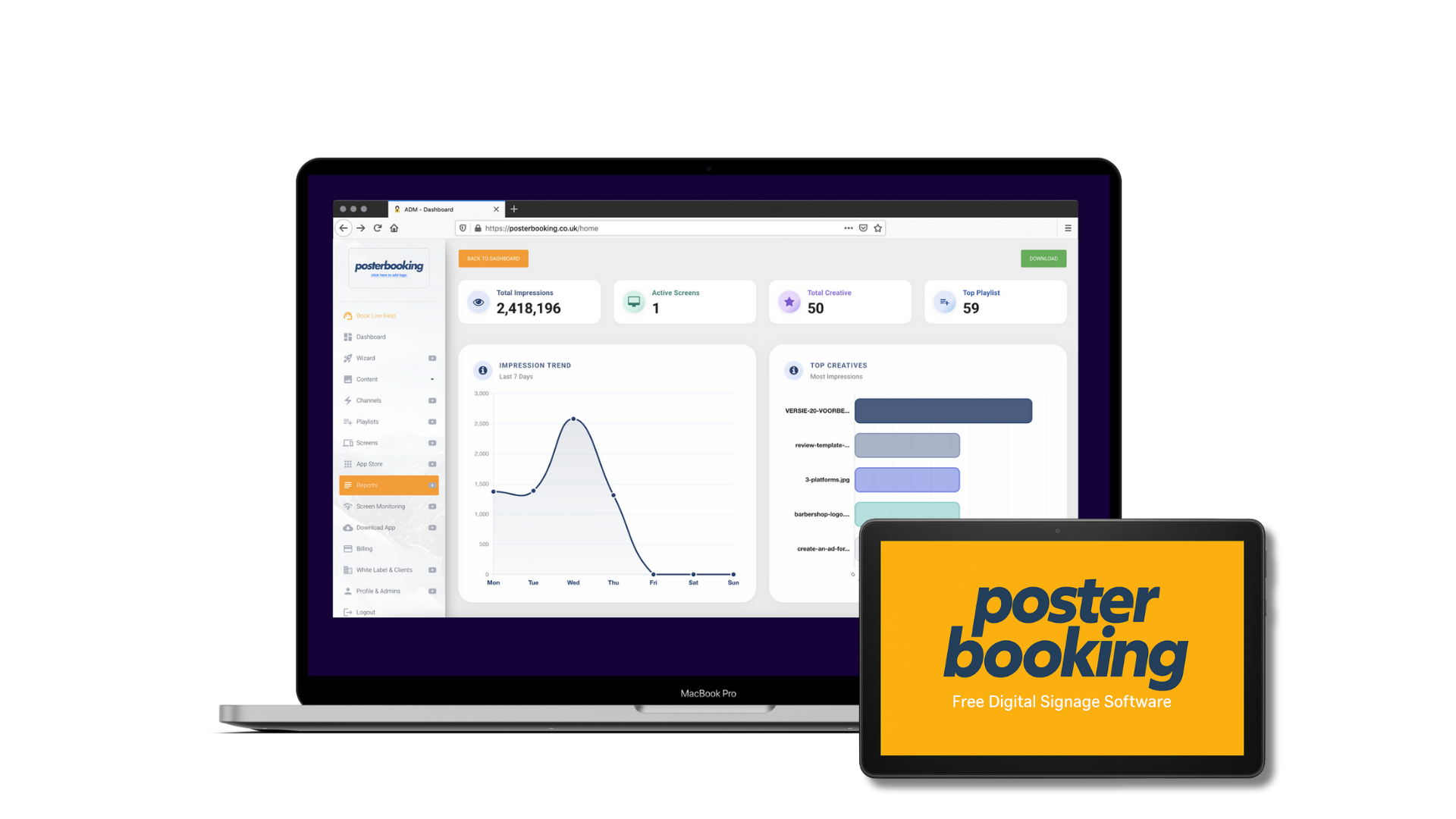
PosterBooking leads in 2025 because it offers the most generous free tier, 10 screens free for 3 months with no credit card—paired with simple Android/FireOS deployment, dayparted playlists, remote screenshots, and offline caching that keeps loops running during internet drops. It is ideal for startups, cafés, salons, retail pop-ups, and budget-conscious fleets standardizing on Android/Fire TV sticks. Potential limitations include lighter enterprise controls and narrower native app coverage on non-Android OSes.

Table: Quick Stats—PosterBooking

CapabilityStatus
OS SupportAndroid/FireOS primary; Windows/RPi options indicated
Offline PlaybackCached content during WAN loss
SSO/MFABasic identity; lighter enterprise depth
APIs/WebhooksBasic integrations
Analytics/ProofScreenshots and proofs available

Best-Fit Scenarios for PosterBooking include:

  • Launching Cost-Controlled Pilots With 1–10 Screens
  • Rolling Out Android/Fire-Based Menu Boards
  • Deploying Window Loops With Cached Fallback
  • Equipping Schools And Nonprofits With Minimal Budgets

Why: PosterBooking advertises “first 10 screens free for 3 months forever,” Android/Fire setup guides, and offline cache controls that satisfy small-fleet resiliency.

How to Test PosterBooking During a 14-Day POC?

The POC should pressure test offline caching, playlist swaps, and screenshot verification on commodity Android sticks.

POC Checklist for PosterBooking include:

  • Validate Offline Playback By Pulling WAN
  • Confirm Dayparted Menus Switch On Schedule
  • Trigger Screenshots And Compare To Playlists
  • Test Device Relinking And Remote Cache Clear
  • Measure Update Latency For 4K Assets

2. Yodeck

yodeck-digital-signage

Yodeck ranks #2 because it balances low pricing with broad device support (Raspberry Pi, Windows, Android/Fire TV, and web players), polished templates, and proven fleet tooling, making it strong for SMBs and distributed enterprises seeking a mix of device types.

Table: Quick Stats—Yodeck

CapabilityStatus
OS SupportRaspberry Pi, Windows, Android/Fire TV, Web
Offline PlaybackYes (caching on devices)
SSO/MFAAvailable on upper tiers
APIs/WebhooksIntegrations and app catalog
Pricing SignalFrom ≈$8/screen; first screen free

Best-Fit Scenarios for Yodeck include:

  • Mixing Raspberry Pi With Windows In One Fleet
  • Standardizing Corporate Dashboards And Announcements
  • Rolling Out Menus With Template Libraries
  • Enabling Multi-Site Targeting With Tags

Pricing/Offer: Yodeck promotes low per-screen pricing and a free first screen; specs and supported devices are documented in help center and pricing pages.

How to Test Yodeck During a 14-Day POC?

POC Checklist for Yodeck include:

  • Validate Raspberry Pi And Windows Playback
  • Exercise App Widgets And Authenticated Embeds
  • Simulate WAN Loss And Verify Recovery
  • Script Device Screenshots And Health Alerts
  • Daypart And Geo-Tag Content To Selected Locations

3. ScreenCloud

ScreenCloud ranks #3 for enterprise UX, reliable device coverage (ChromeOS, Android, Amazon, Windows, and more), and mature admin features including SSO, robust templates, and managed hardware pathways, making it a fit for larger organizations with higher design and governance expectations.

Table: Quick Stats—ScreenCloud

CapabilityStatus
OS SupportChromeOS, Android, Amazon, Windows, more
Offline PlaybackYes (device cache)
SSO/MFAEnterprise plan support
APIs/WebhooksApp store plus integrations
Pricing SignalFrom ≈$20/screen/month

Best-Fit Scenarios for ScreenCloud include:

  • Corporate Communications With SSO And Approvals
  • Multi-Region Fleets Using ChromeOS Kiosk
  • Template-Led Menus And Branded Packs
  • Mixed Device Estates With Clear Guides

How to Test ScreenCloud During a 14-Day POC?

POC Checklist for ScreenCloud include:

  • Validate ChromeOS Kiosk Enrollment And Lockdown
  • Test SSO Login, Roles, And Approvals
  • Compare Screenshots Against Complex Layouts
  • Measure Update Latency For Large Sites
  • Trial Pixi Or Approved Devices For 24/7 Duty

4. OptiSigns

optisign-digital-signage

OptiSigns ranks #4 because its device coverage is among the broadest (Android, Windows, macOS, Linux, ChromeOS, Raspberry Pi, LG webOS, BrightSign, Apple TV, and more) and it offers both software and purpose-built players, suiting heterogeneous fleets and integrators who need “runs-everywhere” flexibility. Note updated Fire TV guidance and Amazon Signage Stick support nuances in 2024–2025.

Table: Quick Stats—OptiSigns

CapabilityStatus
OS SupportVery broad across consumer/pro devices
Offline PlaybackYes (device cache)
SSO/MFAEnterprise tiers
APIs/WebhooksGraphQL/API on higher plans
Pricing SignalTiered (Standard→Enterprise)

Best-Fit Scenarios for OptiSigns include:

  • Mixed Estates Across LG WebOS, BrightSign, PCs
  • Rollouts Requiring Custom Hardware Images
  • Integrations Via API Or GraphQL
  • Locations Migrating From Disparate Players

How to Test OptiSigns During a 14-Day POC?

POC Checklist for OptiSigns include:

  • Validate Each Target OS (Windows, Android, WebOS)
  • Confirm Autostart Behavior On Updated FireOS
  • Exercise GraphQL/API For Bulk Provisioning
  • Stress-Test Offline Playback And Proof-Of-Play
  • Run LED/Video-Wall Scenarios With Supported OS

5. PlaySignage

playsignage-signage

Play Digital Signage ranks #5 for clear pricing and deep OS support including Android, Windows, macOS, ChromeOS, LG webOS, and Samsung Tizen, making it a strong fit for teams wanting predictable costs and broad hardware choice.

Table: Quick Stats—Play Digital Signage

CapabilityStatus
OS SupportAndroid, Windows, macOS, ChromeOS, webOS, Tizen
Offline PlaybackYes (caching)
SSO/MFAAvailable on advanced tiers
APIs/WebhooksIntegrations and device tools
Pricing SignalPer-screen with annual discounts

Best-Fit Scenarios for Play Digital Signage include:

  • Multi-OS Fleets Seeking Straightforward Billing
  • Retail Chains Using LG webOS Or Samsung Tizen
  • Regional Deployments With Mixed Hardware
  • Nonprofits Leveraging Discounts

How to Test Play Digital Signage During a 14-Day POC?

POC Checklist for Play Digital Signage include:

  • Validate Native Apps On webOS/Tizen
  • Confirm Playlist/Daypart And Tag Targeting
  • Run WAN-Loss And Power-Cycle Drills
  • Compare Screenshots To Schedules Hourly
  • Export Proof-Of-Play For A Sample Week

6. RiseVision

risevision-digital-signage

Rise Vision ranks #6 because it is purpose-built for education, with templates, roles, and ChromeOS kiosk paths that align to school IT stacks, plus district-friendly pricing structures. It is optimized for announcements, calendars, safety messaging, and managed Chromebooks or Chromeboxes.

Table: Quick Stats—Rise Vision

CapabilityStatus
OS SupportChromeOS kiosk, Windows, others
Offline PlaybackYes (device cache)
SSO/MFAEducation-friendly SSO
APIs/WebhooksIntegrations for calendars and feeds
Pricing SignalDistrict models; unlimited or per-display

Best-Fit Scenarios for Rise Vision include:

  • K-12 Announcements And Emergency Notices
  • District-Wide Templates And Governance
  • Chromebox/Chromebook Managed Fleets
  • Calendars (ICS/Google) And Room Boards

How to Test Rise Vision During a 14-Day POC?

POC Checklist for Rise Vision include:

  • Enroll Chromebox In Kiosk And Lock Policies
  • Sync ICS/Google Calendar Templates
  • Execute District-Level Tagging And Approvals
  • Confirm Offline Playback In Classroom Wings
  • Verify Proof-Of-Play And Export For Audit

7. TelemetryTV

TelemetryTV ranks #7 because it specializes in dashboards, authenticated embeds, and an OS strategy (TelemetryOS) tailored for reliability on Windows/Linux/ChromeOS, with an Entry plan from ≈$8/screen. It is strong where KPI boards and secure web app embeds drive value, and where Android is avoided for video walls per vendor guidance.

Table: Quick Stats—TelemetryTV

CapabilityStatus
OS SupportWindows, Linux, ChromeOS, TelemetryOS; Android supported with caveats
Offline PlaybackYes (device cache)
SSO/MFAEnterprise identity options
APIs/WebhooksRobust app catalog and API
Pricing SignalFrom ≈$8/screen/month

Best-Fit Scenarios for TelemetryTV include:

  • KPI Dashboards With Authenticated Embeds
  • Corporate Environments Standardized On Windows/Linux
  • Video Walls Using PC-Class Players
  • Teams Wanting A Hardened OS Option

How to Test TelemetryTV During a 14-Day POC?

POC Checklist for TelemetryTV include:

  • Validate Authenticated Dashboard Embeds
  • Test Video Wall Playback On PC-Class Devices
  • Exercise TelemetryOS Imaging And Updates
  • Run WAN-Loss And Power-Cycle Drills
  • Confirm Alerts/Overrides And Screenshot Cadence

How Do the Top 7 Compare Feature-By-Feature?

Wide Comparison Table: Essentials And Differentiators (2025)

PlatformOS SupportOffline CacheRules EngineHTML5/EmbedsEmergency AlertsLED/Video WallSSO/MFAAPIs/WebhooksProof-Of-PlayMulti-TenantScreenshots/AlertsExport Tools
PosterBookingAndroid/Fire primary; Windows/RPi optionsYesBasic tags/daypartsYesBasicBasic via playerBasicBasicYesBasicYesBasic
YodeckRPi, Windows, Android/Fire, WebYesStrongYesYesSupported via devicesAvailableYesYesAgency-friendlyYesYes
ScreenCloudChromeOS, Android, Amazon, WindowsYesStrongYesYesSupported with devicesEnterpriseYesYesYesYesYes
OptiSignsVery broad (Android/Windows/Linux/webOS/BS)YesStrongYesYesDevice-dependentEnterpriseGraphQL/APIYesYesYesYes
Play DSAndroid/Windows/macOS/ChromeOS/webOS/TizenYesStrongYesYesDevice-dependentAvailableYesYesYesYesYes
Rise VisionChromeOS/Windows focusYesStrong (education)YesSafety overridesDevice-dependentSSO for EDUYesYesDistrictYesYes
TelemetryTVWindows/Linux/ChromeOS/TelemetryOSYesStrongYesOverridesVideo wall on PC/ChromeEnterpriseYesYesYesYesYes

Notable Gaps Or Unique Capabilities By Platform include:

  • PosterBooking: Best-in-class Free Tier; Lighter Enterprise Controls.
  • Yodeck: Raspberry Pi Excellence And Free First Screen.
  • ScreenCloud: Enterprise UX And Device Guides With Strong SSO.
  • OptiSigns: Broadest Device Footprint And GraphQL/API On Higher Tiers.
  • Play DS: Deep Native Apps For webOS/Tizen And Clear Pricing.
  • Rise Vision: Education Templates And ChromeOS Kiosk Strength.
  • TelemetryTV: TelemetryOS, Dashboard Focus, And $8 Entry.

Which Cloud Signage Platforms Support Player OS And Hardware Today?

Support spans consumer sticks to pro players; check each vendor’s matrix before procurement.

Table: OS/SoC, Native App, and Key Limitations

OS/SoCPosterBookingYodeckScreenCloudOptiSignsPlay DSRise VisionTelemetryTV
Android/FireOSNative app; Fire guidesNative appNative appNative app; FireOS caveatsNative appAndroid optionsNative app (caveats for walls)
WindowsAvailableSupportedNativeNativeNativeSupportedNative
ChromeOSWeb app optionsSupportedNativeAndroid APK pathNativeKiosk modeSupported
LinuxIndicatedLimitedNativeNativeNative
Raspberry PiSupportedFull supportSupportedSupported“Bring your own” stance

Kiosk/Watchdog Requirements for Player OSes include:

  • Enforce Autostart And App Lockdown
  • Enable Scheduled Reboots/Watchdogs
  • Provision Certificates For VPN/SSO
  • Capture Crash Logs To Central Store
  • Validate EDID/HDCP On 4K Paths

Which Free Cloud Signage Wins On Rules, Personalization, And Data Integrations?

Winners combine tag logic with weather/geo triggers and support for Sheets/CSV/RSS/JSON/APIs; ScreenCloud, OptiSigns, Play, Rise Vision, and TelemetryTV all expose robust data widgets and embed paths, while Yodeck offers broad app integrations and PosterBooking covers core rules and apps for lightweight use.

Table: Integration Type, Native Availability, and Setup Friction (Indicative)

IntegrationPosterBookingYodeckScreenCloudOptiSignsPlay DSRise VisionTelemetryTV
Google Slides/DocsNativeNativeNativeNativeNativeNativeNative
Sheets/CSV/JSONBasicNativeNativeNativeNativeNativeNative
Webhooks/APIBasicNativeNativeAdvanced (GraphQL)NativeNativeNative
Emergency OverridesBasicNativeNativeNativeNativeNativeNative

Which Free Cloud Signage Options Minimize Lock-In And Support Clean Exits?

Clean exits depend on content export, widely supported player OSes, published APIs, standard identity (SAML/OIDC), and proof-of-play portability; OptiSigns, ScreenCloud, Play, Rise Vision, and TelemetryTV document export paths, with Yodeck providing broad app/OS coverage, and PosterBooking enabling basic exports for lightweight fleets.

Table: Exit Path, How It Works, and Risks

Exit PathHow It WorksRisk
Media ExportDownload assets/playlistsWidget logic rebuild
Player Re-ImageInstall new app on same deviceKiosk policy changes
API PullExport schedules/logs via APISchema mapping
Identity PortabilitySAML/OIDC groupsRole remapping

Which Top-7 Free Cloud Signage Platform Is Best For Specific Scenarios?

What Is the Best Cloud Signage Software For Single-Site/Startups?

PosterBooking is the best cloud signage software for single-site and startups because it runs on affordable Android/Fire devices and provides 10 screens free for 3 months, enabling immediate deployment with dayparting and screenshots at essentially zero software cost.

Table: Good Fits For Startup Use And Why

PlatformWhy
PosterBooking10 screens free for 3 months, Android/Fire focus
YodeckLow cost, first screen free, app catalog
Play DSSimple pricing, deep OS support
ScreenCloudEasy templates, polished UX (higher cost)

First-Week Setup Tips For Startup CMS Pilots include:

  • Standardize Android/Fire Sticks And Power Scheduling
  • Build Two Dayparts And One Emergency Takeover
  • Enable Screenshots And Email Alerts
  • Label Devices And Capture Acceptance Images
  • Test Offline Playback By Pulling WAN For 10 Minutes

What Is the Best FREE Cloud Signage Platform for Schools & Nonprofits?

risevision-digital-signage

Rise Vision is the best cloud signage platform for schools and nonprofits because it aligns to ChromeOS kiosk management, offers education-oriented templates and governance, and provides district pricing models suited to budgets.

Table: Education Features (Indicative)

FeaturePresence
ChromeOS Kiosk EnrollmentYes
Calendar/ICS TemplatesYes
Roles/ApprovalsYes
Safety/AlertsYes

Governance Tips For Education Signage include:

  • Map Roles To District/School And Building
  • Enforce ChromeOS Kiosk With Auto-Start
  • Centralize Templates For Consistency
  • Schedule Seasonal Content Audits

What Is the Best FREE Cloud Signage Platform For QSR Menus & Promos?

yodeck-digital-signage

Yodeck is the best free cloud signage platform for QSR menus and promos because it pairs reliable dayparting, menu templates, and multi-device support with low per-screen pricing and broad OS coverage for franchised estates.

Spec Matrix: Menu Feature Targets (Indicative)

RequirementTarget
Daypart MenusBreakfast/Lunch/Dinner Automation
Spreadsheet PricingHourly Sync With Safeguards
Allergen LabelsTemplate Layers
Window ScreensHigh-Nit Content Profiles

Menu Hardware Checklist For Cloud CMS include:

  • Select 700–1,000-Nit Indoor LCDs
  • Use AR Glass For Windows
  • Preflight Allergen And Price Layers
  • Script Takeover For 86’d Items

What Is the Best Cloud Signage Platform For Dashboards & KPI TVs?

TelemetryTV is the best cloud signage platform for dashboards and KPI TVs because it prioritizes authenticated embeds, secure widgets, and PC-class video wall support via Windows/Linux/ChromeOS or TelemetryOS.

Table: Dashboard/Embed Support (Indicative)

PlatformAuthenticated EmbedsRefresh Control
TelemetryTVYesFine-grained
ScreenCloudYesConfigurable
YodeckYesApp-based
OptiSigns/PlayYesApp-based

Security Caveats For Dashboard Screens include:

  • Restrict Network Access To Trusted Origins
  • Rotate Embed Tokens Regularly
  • Lock Down Player OS And Updates
  • Use VPN/Zero-Trust Where Possible

What Is the Best Cloud Signage Platform for Multi-Location Enterprises?

ScreenCloud is the best cloud signage platform for multi-location enterprises because it combines enterprise SSO, approvals, device breadth, and polished fleet UX with clear documentation across OS families and managed hardware options.

Table: Enterprise Controls (Indicative)

ControlPresence
SSO/MFA/SCIMYes
Roles/ApprovalsYes
Multi-Tenant/TagsYes
APIs/WebhooksYes

Scale Pitfalls For Enterprise Cloud Signage include:

  • Over-Tagging Without Naming Conventions
  • Inconsistent Player OS Mix Without Standards
  • Weak Alert Thresholds That Hide Failures
  • Sparse Export/Backup Procedures

How to Run a Fair 14-Day Proof-Of-Concept Across the Top 7?

A fair 14-day POC runs identical tests—playlist swaps, offline drills, screenshots, alerting, and one data feed—on the same player hardware and bandwidth profile, with pass/fail thresholds agreed in advance.

Table: Day-By-Day POC Plan (Indicative)

DayFocus
1–2Provision devices, enroll SSO, import brand kit
3–4Build playlists, tags, and dayparts
5–6Add one live data source (Sheets/JSON)
7–8Execute offline/power-loss drills
9–10Capture screenshots, proofs, and alerts
11–12LED/video wall or window demo (if needed)
13–14Export test, API/webhook trial, scorecard

Pass/Fail Criteria For A Cloud CMS POC include:

  • Maintain Playback During WAN Loss
  • Deliver Screenshots Within One Minute Of Change
  • Trigger Alerts Within Two Minutes Of Fault
  • Export Playlogs And Content Without Support Tickets
  • Complete API/Webhook Trigger In Under One Hour

Which Test Cases Reveal Reliability Quickly?

Reliability emerges from stress, WAN cuts, power cycles, corrupted assets, and targeted rules—so the short list should be clear after three to five drills.

Reliability Drills For Cloud Digital Signage include:

  • Pull Internet And Observe Cache Continuity
  • Power-Cycle Player And Measure Resume Time
  • Corrupt One File And Verify Skip/Alert
  • Change Rule Variables (Weather/Stock) And Verify Swap
  • Trigger Remote Reboot And Confirm Heartbeat Return

Table: Metric And Target (Indicative)

MetricTarget
Resume After Power≤ 120 seconds
Screenshot Latency≤ 60 seconds
Alert Time-To-Notify≤ 120 seconds
Cache Hit Rate≥ 95%

How Should Stakeholders Review Results And Decide?

Stakeholders should score each platform against weighted criteria, capture risks in a register, and set tie-break rules (OS coverage or export portability) before approving pilot expansion.

Table: Rubric, Weight, and Notes

Rubric ItemWeightNotes
Reliability/Offline30WAN/power drills
Features/Integrations25Rules, widgets
UX/Onboarding15Setup speed
OS/Hardware10Current/future
Security/Compliance10SSO/audit
Pricing Clarity10No surprises

Sign-Off Checklist For Cloud CMS Selection include:

  • Approve Weighted Scorecard And Risks
  • Confirm OS/Device Standards
  • Lock Export/Backup Procedures
  • Plan 60-Day Pilot Expansion

What Does Pricing, TCO, And ROI Look Like For Cloud CMS?

Pricing typically runs per screen per month with add-ons for SSO, API, or video-wall features, while hidden costs include player hardware, installation, network, and ops time; realistic ranges span free tiers (PosterBooking, first screen on Yodeck) up through $8–$20+ per screen for mainstream vendors.

Simple TCO Inputs For Cloud Digital Signage include:

  • Software Fees Per Screen Per Month
  • Player Hardware (Purchase/Lease)
  • Installation Labor And Travel
  • Energy Use And Network Charges
  • Ops Time For Content And Support
  • Spares And Warranty Extensions

Table: Plan Tier, Price Signals, And Inclusions (Indicative)

VendorEntry SignalNotable Inclusions
PosterBooking10 screens free for 3 monthsPlaylists, screenshots, Android/Fire focus
Yodeck≈$8/screen; 1 freeApp catalog; Pi/Windows support
TelemetryTV≈$8/screenDashboard embeds; TelemetryOS option
Play DSFlat per-screen; annual discountMulti-OS support, nonprofit discount
ScreenCloud≈$20/screenEnterprise features, SSO
Rise VisionDistrict pricingEDU templates, ChromeOS kiosk
OptiSignsTiered by featuresBroad OS support; GraphQL on higher tiers

When Is Paying More Actually Cheaper Long-Term?

Paying more becomes cheaper when outage prevention, faster recovery, and better analytics reduce truck rolls and wasted staff time; enterprise SSO and export tooling also cut compliance and migration costs.

Table: Upgrade, Added Cost, And Avoided Cost/Savings

UpgradeAdded CostAvoided Cost/Savings
Enterprise SSO+Fewer account issues, faster audits
Telemetry/Alerts+Quicker fixes, fewer site visits
Better Player OS+Stable 4K and walls, fewer failures
Export/APIs+Easier migrations, vendor leverage

What Security, Privacy, And Compliance Differences Matter Most?

Critical differences appear in SSO/MFA depth, RBAC granularity, signed updates, audit logs, network segmentation and VPN/zero-trust options, data residency, and privacy-first analytics so platform choices should be validated against policy and risk tolerance.

Hardening Checklist For Cloud Digital Signage include:

  • Enforce SSO/MFA And Role-Based Permissions
  • Lock Kiosk Mode And Autostart On Players
  • Patch Players And CMS On Cadence
  • Segment Networks And Use VPN/Zero-Trust
  • Encrypt At Rest/In Transit And Sign Updates
  • Store Audit Logs And Proof-Of-Play Securely

Table: Requirement, How To Verify, And Evidence

RequirementHow To VerifyEvidence
SSO/MFAConfigure SAML/OIDCTest login flows
Audit LogsExport eventsImmutable store
Signed UpdatesCheck vendor docsHashes/signatures
Data ResidencyRegion selectionDPA/terms

How To Audit A Vendor Before Shortlisting?

Audits should request pen-test summaries, incident histories, uptime SLOs, export guarantees, and DPAs, and should test a live API/webhook plus a content export in the POC.

Vendor Due-Diligence Questions For Cloud CMS include:

  • Provide Pen-Test Summary And Remediation Timeline
  • Share Uptime SLO/History And Incident Postmortems
  • Demonstrate Export Of Assets/Playlogs Without Support
  • Confirm Signed Updates And Patch Cadence
  • Supply DPA/Data Residency Options

Table: Claim, Proof To Request

ClaimProof
“SSO Supported”SAML/OIDC setup guide
“Offline Reliable”WAN-loss test video/logs
“Video-Wall Ready”4K/60 pipeline details
“Device Agnostic”Support matrix and versions

What Common Pitfalls Should Buyers Avoid?

Common pitfalls include assuming 4K without checking bandwidth and player decode, skipping offline tests, messy tag taxonomies, customizing everything on day one, ignoring export/lock-in, weak alert thresholds, and omitting accessibility plans.

Top 10 Mistakes And Quick Fixes For Cloud Digital Signage include:

  • Skipping Offline Playback Drills → Schedule WAN-Loss Tests
  • Assuming 4K Works Everywhere → Validate Codec/Bitrate/EDID
  • Over-Tagging Playlists → Enforce Naming Conventions
  • Ignoring Export Paths → Test Asset/Log Exports
  • Under-Alerting Devices → Set Thresholds And Escalations
  • Mixing Too Many Player OSes → Standardize SKUs
  • Forgetting Screenshots → Automate Hourly Captures
  • No Accessibility Defaults → Enforce Contrast/Caption Templates
  • Neglecting Security Updates → Set Patch Windows
  • No Proof-Of-Play → Enable Playlogs And Retention

What FAQs Do People Ask About Cloud Digital Signage in 2025?

Cloud platforms cache locally, run across multiple OSes, and integrate live data, so the common answers focus on reliability, player choice, data safety, resolution needs, budget ranges, proof-of-play, and clean exit strategies.

FAQ For Cloud Digital Signage include:

Will Cloud Work Offline If The Internet Drops?

Yes, leading platforms cache assets so scheduled loops continue; verify by pulling WAN during a POC.

Which OS Is Most Stable For 24/7 Playback?

Windows/Linux/ChromeOS and hardened variants (e.g., TelemetryOS) offer robust 4K and wall support; Android is fine for loops but is less ideal for video walls per vendor guidance.

How To Add Live Data (Sheets/RSS/JSON) Safely?

Use widgets or authenticated embeds, restrict origins, and avoid hard-coding secrets; rotate tokens.

Do 4K Players Need To Be Specified For LED Walls?

Often yes; PC-class players with proper EDID/HDCP handling ensure 4K/60 pipelines.

What Is A Realistic Per-Screen Monthly Budget?

Free tiers exist (PosterBooking), then ≈$8–$20+ per screen for mainstream plans; factor hardware and ops.

How Do Proof-Of-Play And ROI Measurement Work?

Players log playback with timestamps; export logs and correlate with sales/traffic to attribute impact.

How To Migrate/Export Content If Switching Vendors?

Export media and schedules where supported, re-image players with the new app, and re-create widgets via API.

Final Buy Recommendation: Which One To Choose Today?

For a cost-first, Android-centric rollout with immediate value, PosterBooking is the best choice because it delivers 10 screens free for 3 months, simple dayparting, screenshots, and offline caching that validate quickly in a 14-day POC. For Raspberry Pi or mixed estates at low cost, Yodeck is the most balanced runner-up. For enterprise UX, SSO, and strong device documentation, ScreenCloud is the safest bet. For heterogeneous fleets and deep device coverage, OptiSigns or Play Digital Signage offer the widest OS support. For education, pick Rise Vision. For KPI dashboards and PC-class walls, choose TelemetryTV.

Join PosterBooking for FREE

Get a free 1:1 PosterBooking demo and see how to unlock 10 free screens with zero setup headaches.

Untitled design 33
Scroll to Top