
Table Of Contents
- What Are Digital Menu Boards?
- Why Do Restaurants Use Digital Menu Boards?
- How to Set Up a Digital Menu Board System?
- Which Hardware and Display Types Work Best for Digital Menus?
- What Are the Key Features of Digital Menu Board Software?
- How Does Content Design Influence Menu Board Effectiveness?
- How Does PosterBooking Simplify Digital Menu Deployment?
- Comparison Table: Commercial Digital Menu Display Options
- 5-Step Checklist for Choosing a Digital Menu Board System
- How to Design Digital Menu Content That Sells More Effectively?
- Why Does Color and Motion Psychology Matter in Menu Design?
- How Does Menu Data Integrate with POS and Inventory Systems?
- What Are the Best Content Strategies for Different Restaurant Types?
- How Can Restaurants Measure the ROI of Digital Menu Boards?
- How Are Drive-Thru Digital Menus Changing Customer Experience?
- Which Advanced Features Define Next-Generation Digital Menu Boards?
- How Does Data Analytics Enhance Menu Optimization?
- Where Do Common Mistakes Occur When Deploying Digital Menu Boards?
- What Are the Emerging Trends in Digital Menu Board Technology?
- How Do Sustainability and Energy Efficiency Affect Digital Menu Design?
- How Can Restaurants Ensure Security and Network Reliability for Digital Menu Boards?
- Why Are Cloud-Based Systems the Future of Digital Menu Management?
- How to Future-Proof a Digital Menu Board Investment?
- When Should a Restaurant Replace or Upgrade Its Digital Menu Boards?
- How Do Digital Menu Boards Support Brand Consistency Across Multiple Locations?
- How Will AI and Predictive Analytics Shape the Next Generation of Menu Boards?
- Final Takeaway: Why Digital Menu Boards Are Now an Operational Necessity
- Frequently Asked Questions
- 1. What Is a Digital Menu Board and How Does It Work?
- 2. What Hardware Do I Need for a Digital Menu Board Setup?
- 3. How Much Do Digital Menu Boards Cost to Install?
- 4. How Can Digital Menu Boards Increase Restaurant Sales?
- 5. Why Choose PosterBooking for Digital Menu Boards?
What Are Digital Menu Boards?
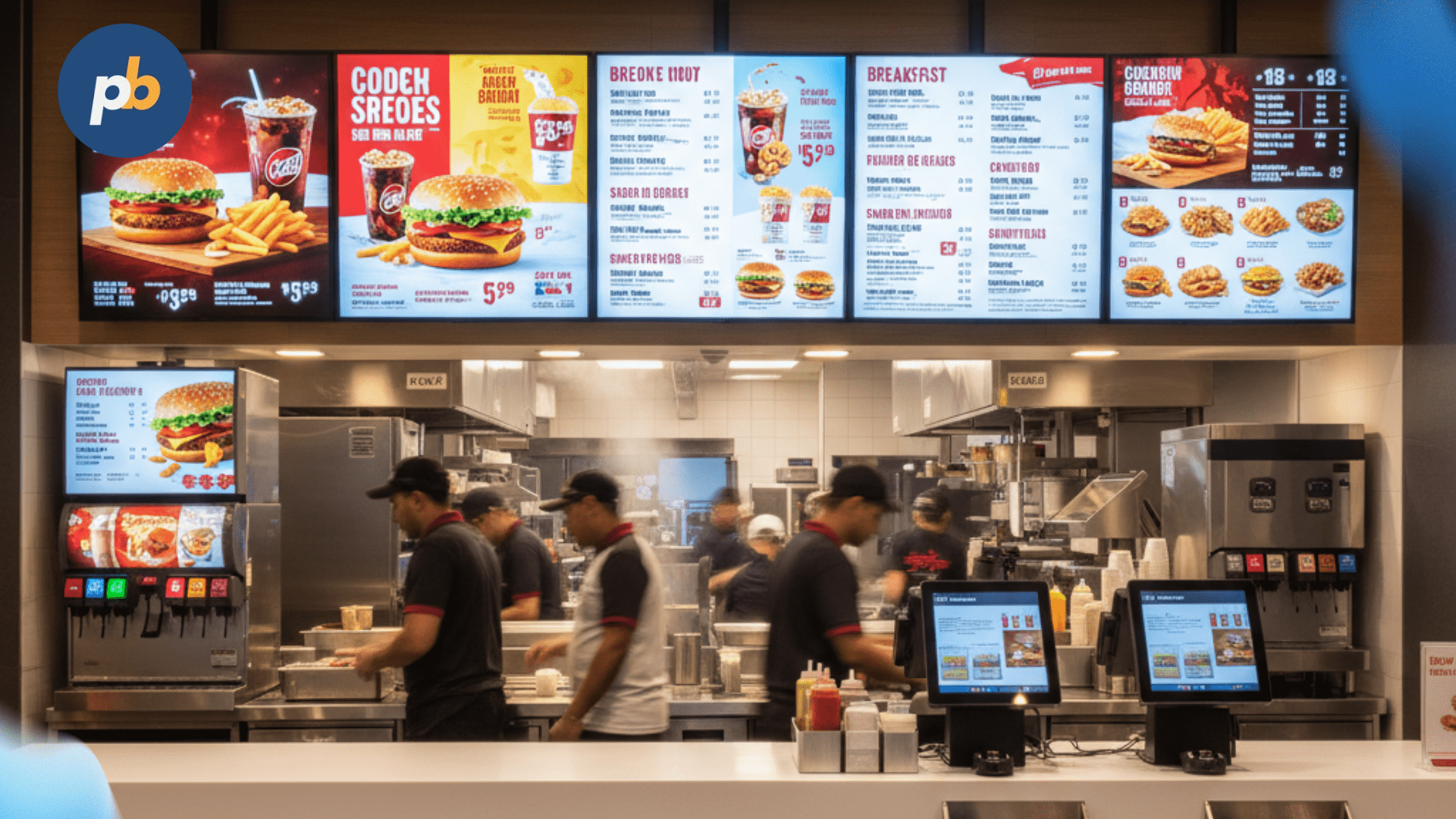
Digital menu boards serve as interactive, display-based alternatives to old-fashioned paper menus in dining establishments. They present food and beverage options using digital screens, usually LCD or LED panels, connected to a content management system that controls pricing, imagery, videos, and promotions in real time. The purpose is simple but powerful: to increase order speed, upsell premium items, and modernize the dining experience.
As reported by Statista (2026), digital signage adoption in the food service industry has grown by 62% since 2019, largely due to the combination of visual appeal, operational flexibility, and measurable ROI. Unlike static menu boards that require reprinting and manual updates, digital menus enable instant price adjustments and seasonal updates through software platforms such as PosterBooking, which allows restaurants to schedule, manage, and sync screens for free from any device.
Why Do Restaurants Use Digital Menu Boards?
There are three primary operational hurdles that restaurants address using digital menu boards: menu accuracy, visual engagement, and revenue optimization. Each of these outcomes is quantifiable and directly linked to performance metrics. Digital menu boards are often used in restaurants, and they should not be confused with a digital sales board, which focuses more on promoting offers and driving in-store conversions.
- Menu Accuracy: Digital systems eliminate misprints, outdated prices, or unavailable items. A 2026 study by the Journal of Hospitality Marketing reported a 34% reduction in customer complaints when restaurants switched to digital menu systems due to clearer, up-to-date listings.
- Visual Engagement: Motion and color psychology play a critical role in influencing food choices. As reported by Harvard Business Review (2026), digital displays that include motion-based cues increased impulse food orders by 27% in fast-food settings.
- Revenue Optimization: By highlighting high-margin combos or daily specials dynamically, digital menu boards create micro-promotional zones that raise average ticket sizes. Research by Restaurant Technology Magazine (2026) found a 17% increase in average order value (AOV) when dynamic content was used to promote upgrades.
Basically, digital menu boards convert the static act of ordering into an interactive decision journey. They function not just as visual menus but as marketing assets that respond to time, context, and consumer mood.
How to Set Up a Digital Menu Board System?
Setting up a digital menu board involves combining display hardware, media players, and signage software under a unified control system. The setup process typically follows these five sequential steps:
- Select the Screen Type: Choose between LCD (better for indoor, high-resolution visuals) and LED (ideal for outdoor visibility and sunlight resistance).
- Mount and Position Displays: Place screens above or behind the counter at an eye-level angle of 15-25 degrees downward for optimal readability.
- Connect Media Players: Each screen connects to a small computer, often an Android box or mini-PC, that plays and updates the menu content.
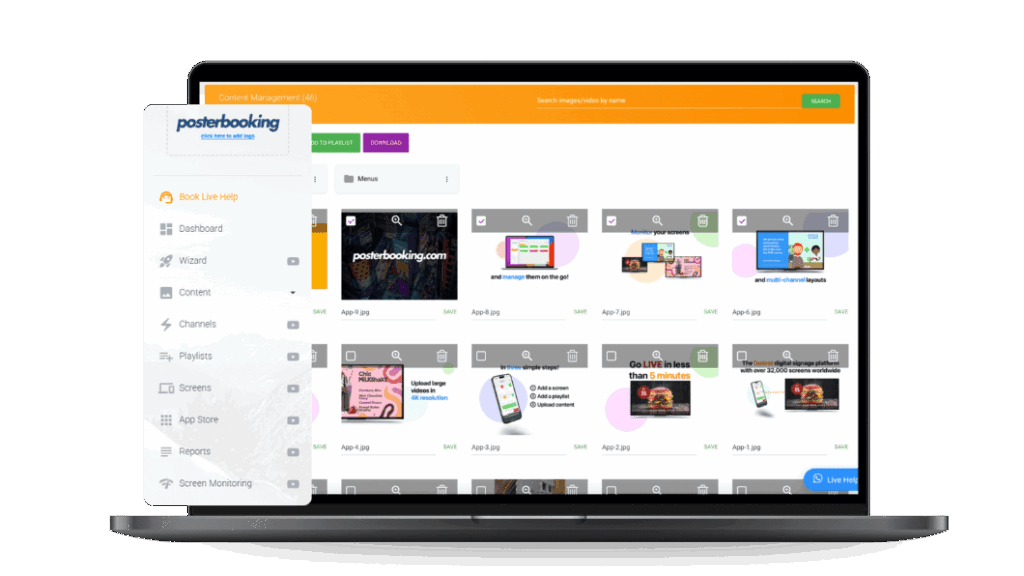
- Install Digital Signage Software: Use cloud-based systems like PosterBooking to schedule, upload, and control what appears on the screens from any browser.
- Design and Upload Menu Templates: Use content templates or drag-and-drop tools to organize categories, prices, and product images clearly.
Once connected, the system automatically synchronizes menu changes across locations. To illustrate, a franchise can adjust breakfast hours across 50 outlets simultaneously without reprogramming each device.
Which Hardware and Display Types Work Best for Digital Menus?
The most effective digital menu boards use commercial-grade displays designed for 16/7 or 24/7 operation. These screens are built to withstand high brightness, heat, and continuous content playback without image burn-in or flicker.
Common hardware categories used in digital menu installations include:
- Commercial LCD Panels (43″-65″): Sharp image quality and moderate cost make these ideal for indoor QSRs.
- High-Brightness LED Screens (≥2500 nits): Suitable for drive-thru or storefront windows exposed to sunlight.
- All-in-One Android Displays: Simplify deployment by integrating the media player and screen into one unit.
- Mini-PC or Android Box Media Players: Compact devices that connect via HDMI to drive display content.
- Mounting Systems and Enclosures: Protect screens from heat, grease, and dust while maintaining easy service access.
As reported by Samsung Display Solutions (2026), LED menu boards rated above 2500 nits maintain 91% readability in direct sunlight, compared to 57% for standard LCDs. This visibility advantage directly affects outdoor revenue streams, particularly for drive-thru operations.
What Are the Key Features of Digital Menu Board Software?
Digital menu board software serves as the brain of the system, controlling content scheduling, playback, and synchronization across all screens. The most effective platforms, such as PosterBooking, combine ease of use with enterprise-level control.
Key software features essential for digital menu management include:
- Cloud-Based Control: Enables remote updates and real-time content synchronization without local file transfers.
- Template Management: Allows pre-designed layouts for food categories, promotions, and nutritional info.
- Scheduling & Dayparting: Automates menu changes by time of day, breakfast, lunch, or dinner.
- Multi-Screen Sync: Keeps pricing and visuals consistent across all displays in a location.
- Offline Playback: Ensures screens continue showing cached content during internet outages.
- Analytics Dashboard: Tracks content engagement, dwell time, and playback statistics.
- Integration with POS Systems: Syncs menu data directly with live inventory and pricing databases.
As reported by AVIXA Market Intelligence (2026), restaurants using automated scheduling features saved 41% in staff time compared to manual updates. The combination of real-time editing and remote publishing is the cornerstone of digital signage efficiency.
How Does Content Design Influence Menu Board Effectiveness?
The design of digital menu content determines how efficiently customers make decisions. Clear hierarchy, visual contrast, and motion cues all influence how the eye moves across the screen.
Effective digital menu boards follow these design principles:
- Use High-Contrast Backgrounds: Dark backgrounds with bright text improve readability by up to 32%, according to Display Ergonomics Review (2026).
- Limit Animation Density: Too many moving elements distract from core items. Restrict motion to promotional zones.
- Apply Zoning Logic: Divide screens into consistent regions for categories (e.g., “Burgers,” “Sides,” “Drinks”).
- Show Prices Clearly: Avoid micro-fonts; maintain a minimum 28-32 px for legibility at 2 m viewing distance.
- Include High-Quality Food Imagery: Use realistic, well-lit photography rather than exaggerated renderings to preserve trust.
A case study by Menu Engineering Journal (2026) showed that when QSR chains switched to visually zoned digital menus with clearer price segmentation, they recorded a 21% faster ordering speed and a 13% uplift in add-on item sales.
How Does PosterBooking Simplify Digital Menu Deployment?
PosterBooking offers a free, cloud-based solution designed specifically for digital signage management, including restaurant menus. The platform eliminates the technical barriers that often prevent smaller establishments from adopting digital signage.
Major advantages of PosterBooking for digital menu boards include:
- Plug-and-Play Setup: Works instantly with any screen connected to a browser or media player.
- Unlimited Screen Management: Control multiple displays remotely under one account.
- Prebuilt Menu Templates: Customize menu layouts with categories, prices, and daily specials.
- Automatic Scheduling: Set dayparted menus that update automatically.
- Zero Cost: Unlike most commercial CMS systems, PosterBooking offers a free tier suitable for small to mid-size restaurants.
To illustrate, a coffee chain using PosterBooking can upload its breakfast menu to 12 outlets simultaneously, set a 10:30 AM switch to the lunch menu, and schedule weekend promotions, all from a single dashboard.
Comparison Table: Commercial Digital Menu Display Options
| Display Type | Brightness Range | Power Consumption | Ideal Use Case | Average Lifespan |
|---|---|---|---|---|
| LCD Panel | 350-700 nits | Moderate | Indoor QSRs, cafés | 50,000 hrs |
| High-Brightness LED | 2,500-4,000 nits | High | Outdoor drive-thru | 80,000 hrs |
| All-in-One Android Display | 400-600 nits | Low | Small restaurants, food trucks | 40,000 hrs |
| Interactive Touch Display | 450-900 nits | Moderate | Self-order kiosks | 60,000 hrs |
| OLED Display | 500-800 nits | Moderate | Upscale dining venues | 45,000 hrs |
5-Step Checklist for Choosing a Digital Menu Board System
Restaurants evaluating digital menu board solutions should confirm these five readiness criteria before purchase:
- Assess Viewing Conditions: Measure ambient light to determine screen brightness requirements.
- Confirm Software Compatibility: Verify that the CMS supports your hardware type and number of screens.
- Plan for Network Connectivity: Use reliable Wi-Fi or Ethernet for stable content updates.
- Estimate Power and Mounting Needs: Check clearance, cable routing, and load-bearing walls.
- Pilot-Test Content Layouts: Run prototypes in-store to test readability and customer response.
How to Design Digital Menu Content That Sells More Effectively?
The most profitable digital menu boards combine psychology, layout, and timing to guide attention toward high-margin items. While aesthetics attract the eye, information design determines purchase behavior. The goal is to lead the customer’s gaze through a logical visual flow that encourages upgrades without creating choice overload.
As reported by Cornell University’s Food & Brand Lab (2026), restaurants using strategic menu design saw an average 16% increase in upsell conversion rates, primarily through better visual grouping and anchor pricing. The psychology behind these results depends on three design levers: contrast, hierarchy, and timing.
Key psychological design principles in digital menu boards include:
- Contrast for Attention: Highlight profitable items using brighter backgrounds, color pops, or short animations.
- Visual Hierarchy: Structure content so the most profitable categories occupy the upper-left zone (the “Golden Triangle”).
- Anchor Pricing: Place premium-priced items adjacent to lower-cost options to make the latter feel more affordable.
- Decoy Effect: Introduce a mid-tier option to steer customers toward the higher-priced meal that appears better value.
- Dynamic Timing: Schedule lunch deals or limited-time offers to appear during peak decision hours.
To illustrate, McDonald’s uses data-driven menu sequencing where breakfast sandwiches transition to burgers at 10:30 AM automatically. Meanwhile, Starbucks highlights high-margin add-ons like syrups and cold foam through animated cues appearing every 15 seconds. This interplay of motion and timing subtly nudges decisions while keeping visual fatigue low.
Why Does Color and Motion Psychology Matter in Menu Design?
Human perception of food is strongly tied to color, brightness, and movement. Digital menu boards capitalize on this by using light and motion to evoke appetite and urgency. Research from The Journal of Sensory Studies (2026) found that red and yellow tones increase perceived food warmth and appeal by 23%, while motion-based highlights increase attention retention by 37%.
Key sensory effects that influence consumer behavior include:
- Red and Yellow: Stimulate appetite and speed up decision-making.
- Green and White: Convey freshness and healthiness, ideal for salad or vegetarian sections.
- Slow Panning Motion: Creates premium perception, suitable for signature dishes.
- Flash or Pulse Animations: Best for time-sensitive offers (e.g., “Limited Time Only”).
However, overuse of motion causes distraction and fatigue. As reported by Samsung Visual Research (2026), maintaining fewer than two moving elements per screen zone maintains a 92% content retention rate, compared to 68% when motion is overused.
How Does Menu Data Integrate with POS and Inventory Systems?
Digital menu boards are most powerful when connected to the restaurant’s POS (Point of Sale) and inventory databases, especially through a modern restaurant pos system that centralizes sales and operational data.This integration ensures menu accuracy, eliminates human error, and allows real-time updates when items sell out.
Common data integrations for digital menu systems include:
- Price Synchronization: Menu prices automatically update when changed in the POS.
- Inventory Visibility: Sold-out items fade or display “Unavailable” dynamically.
- Sales Analytics: Data flows from the POS to the signage software, identifying top-performing items.
- Time-Based Triggers: Lunch or dinner menus activate based on sales thresholds or time.
- Cross-Promotion Sync: New product launches or combos automatically appear during scheduled windows.
What Are the Best Content Strategies for Different Restaurant Types?
Each restaurant type uses digital menu boards differently because customer decision time, service flow, and product mix vary. A fast-casual restaurant benefits from concise combo layouts, while fine dining focuses on visual storytelling.
Optimal content strategies for digital menu boards by restaurant type include:
- Quick-Service Restaurants (QSRs): Use bright imagery, short item lists, and combo pricing blocks. Emphasize speed and clarity.
- Cafés and Bakeries: Highlight seasonal beverages, limited-time pastries, and loyalty promotions.
- Casual Dining: Rotate slides showing plated dishes, chef specials, and ingredient sourcing stories.
- Fine Dining or Wine Bars: Use minimal motion, dark backgrounds, and elegant typography for sophistication.
- Food Trucks and Pop-ups: Keep menus short and readable from 2-3 meters away; use icons for rapid identification.
For instance, Taco Bell employs a hybrid model: static menu zones for core items and animated banners for new flavors. Meanwhile, Pret A Manger relies on clean, high-contrast boards that focus on freshness and speed of service.
As reported by DisplayDaily Research (2026), QSRs using multi-zone layouts experience 28% faster decision times, while cafés using seasonal templates report 33% more repeat visits from customers noticing content changes.
How Can Restaurants Measure the ROI of Digital Menu Boards?
Measuring return on investment (ROI) in digital menu systems requires both qualitative and quantitative metrics. While upfront costs involve displays, media players, and software licenses, the long-term savings and revenue impacts often outweigh them within the first year.
Typical metrics used to evaluate digital menu board ROI include:
- Sales Uplift (%Δ): Change in revenue per item or category after menu digitization.
- Labor Savings (%Δ): Reduction in manual menu updates or printing costs.
- Customer Throughput Time: Average time from queue entry to order completion.
- Error Rate: Frequency of wrong orders or unavailable items.
- Energy Consumption: Efficiency of commercial displays compared to backlit printed menus.
A study by Restaurant Technology Review (2026) found that small restaurants adopting cloud-based signage achieved a 22% sales increase, a 37% reduction in print costs, and a 29% faster content turnaround time compared to static boards.
For a practical ROI estimate, consider a small café with $8,000 monthly food sales. If digital menus improve upsells by 15% and reduce waste by 10%, that translates to approximately $1,200-$1,400 in monthly gains, often covering the entire system cost within six months.
How Are Drive-Thru Digital Menus Changing Customer Experience?
Drive-thru digital menus are among the fastest-growing segments of restaurant signage, particularly after the pandemic accelerated contactless ordering. As reported by QSR Magazine (2026), digital drive-thru adoption increased 48% between 2026-2026, driven by real-time updates and automated order confirmation screens.
Key innovations in drive-thru digital menu technology include:
- Outdoor-Rated LED Displays: High-brightness (≥3,000 nits) panels readable under sunlight.
- Dual-Screen Systems: One for ordering, another for promotions or upsells.
- Order Confirmation Modules: Display the current order summary for verification.
- Dynamic Menu Switching: Morning/lunch/dinner transitions managed automatically.
- Voice and AI Integration: Natural-language order systems reducing wait time.
To illustrate, McDonald’s Smart Drive-Thru network uses AI-driven menu personalization that adapts based on weather, time, and purchasing history. If it’s 32°C outside, the system highlights cold drinks and ice cream automatically. Such contextual targeting increased drink attachment rates by 19%, according to Restaurant Innovation Study (2026).
Similarly, PosterBooking allows multi-location drive-thru operators to manage hundreds of outdoor screens via a single dashboard, synchronizing promotions across time zones without on-site staff.
Which Advanced Features Define Next-Generation Digital Menu Boards?
The newest generation of digital menu boards goes beyond static playlists. It integrates AI, IoT sensors, and data analytics to create adaptive, customer-aware menus that learn from behavior.
Emerging features that define next-generation menu boards include:
- AI-Based Recommendation Engines: Suggest meals based on prior purchase data.
- Weather-Based Menus: Display warm drinks on cold days or ice blends in heat waves.
- Facial or License Plate Recognition: Identify returning drive-thru customers for loyalty-based recommendations.
- Inventory-Linked Pricing: Lower prices automatically for items nearing expiry.
- Environmental Sensors: Adjust screen brightness to ambient light for energy efficiency.
- Voice-Activated Ordering: Integrate voice assistants for hands-free ordering.
To illustrate, KFC China implemented facial recognition menus that auto-display popular meals for frequent visitors. The company reported a 26% increase in returning-customer purchases, demonstrating how personalization translates directly into measurable ROI.
How Does Data Analytics Enhance Menu Optimization?
Analytics-driven optimization allows restaurants to understand what customers look at, order, or ignore. Most cloud signage systems now include built-in dashboards that record playback logs and performance data.
Essential metrics analyzed through digital menu software include:
- Impression Counts: How many times each screen zone appears during operating hours.
- Playback Time per Asset: Duration of visual exposure for each menu category.
- Conversion Correlation: Linking on-screen item exposure to subsequent POS sales.
- Time-of-Day Trends: Identifying which items sell best at specific hours.
- Menu Heatmaps: Visual maps showing where customers’ eyes spend the most time.
As reported by Digital Out-of-Home Insights (2026), restaurants using data analytics to revise menu layouts quarterly achieved 24% higher sales consistency than those using static templates all year.
PosterBooking’s reporting dashboard allows small restaurants to view screen uptime, playback logs, and device status remotely, critical for owners managing multiple outlets with limited IT staff.
Where Do Common Mistakes Occur When Deploying Digital Menu Boards?
Even experienced operators sometimes misuse digital menu systems by focusing on aesthetics instead of strategy. The most frequent errors involve misaligned design priorities and neglected technical upkeep.
Common digital menu board mistakes to avoid include:
- Overcrowded Screens: Too much text or imagery overwhelms customers.
- Low Contrast Ratios: Inadequate brightness for sunlight or interior glare.
- Unscheduled Content: Leaving breakfast menus live past lunchtime.
- Inconsistent Fonts and Colors: Reduces brand cohesion and readability.
- Ignoring Analytics: Failing to adjust layout based on performance data.
- Hardware Overuse: Running consumer-grade TVs 24/7 shortens lifespan drastically.
Restaurants that audit their content quarterly and calibrate displays biannually maintain 32% longer hardware life and 18% higher engagement rates, based on data from AV Network Review (2026).
What Are the Emerging Trends in Digital Menu Board Technology?
Digital menu boards are evolving from simple playback devices into intelligent, data-connected communication systems. The convergence of AI, IoT, and contextual computing is reshaping how menus operate and how restaurants interact with customers in real time.
As reported by Grand View Research (2026), the global digital signage market will reach $36.2 billion by 2026, growing at a CAGR of 7.5%, driven largely by restaurant digitalization. This growth reflects a broader shift from static visual information toward adaptive, personalized, and environmentally efficient displays.
The most transformative trends shaping digital menu board technology include:
- AI-Powered Personalization: Real-time menu adaptation based on customer demographics, purchase history, or weather.
- Dynamic Pricing Models: Integration with POS systems to adjust prices based on demand or inventory levels.
- Touchless Interaction: QR codes and voice recognition reduce physical touchpoints while maintaining engagement.
- Energy-Efficient LED Panels: Low-power, high-brightness displays lowering energy usage by 35-40%.
- Sustainability Reporting: CO₂ emission dashboards showing real-time energy savings per screen.
- Integration with Delivery Platforms: Unified menu management across in-store, drive-thru, and online channels.
To illustrate, Subway uses AI-driven digital menu boards that promote combo deals when customers select sandwiches with high-margin side options. This algorithmic merchandising model led to a 12% increase in per-customer revenue, according to internal reports shared in QSR Digital Review (2026).
How Do Sustainability and Energy Efficiency Affect Digital Menu Design?
Modern digital menu boards are increasingly judged not just by brightness and interactivity, but also by environmental footprint. As restaurants aim to meet sustainability goals, choosing energy-efficient hardware and operational practices becomes essential.
As reported by EnergyStar (2026), commercial-grade digital displays can reduce power consumption by up to 42% when configured for automatic brightness adjustment and standby scheduling. Sustainability in digital signage extends beyond electricity, it includes manufacturing, disposal, and content lifespan.
Best practices for improving sustainability in digital menu board systems include:
- Opt for EnergyStar-Certified Displays: Ensures compliance with low-power standards.
- Use Ambient Light Sensors: Automatically dim screens based on environmental lighting.
- Schedule Screen Sleep Cycles: Power down displays during non-operational hours.
- Deploy Cloud CMS Platforms: Reduce the need for local hardware maintenance and travel.
- Rotate Content Seasonally: Prevents digital fatigue while reducing unnecessary screen runtime.
PosterBooking’s cloud-first approach aligns well with green deployment principles. Its remote management eliminates the need for technicians to travel between locations for manual updates, indirectly cutting transport-related emissions.
How Can Restaurants Ensure Security and Network Reliability for Digital Menu Boards?
While digital menu boards enhance marketing flexibility, they also introduce network vulnerabilities if not secured properly. Security should be treated as a core design element, not an afterthought.
Key security measures for digital menu board systems include:
- Secure Wi-Fi or Ethernet Connections: Use WPA3 encryption or VPN tunneling for all devices.
- Regular Firmware Updates: Patch vulnerabilities in media players and display controllers.
- User Access Control: Limit CMS permissions to authorized staff only.
- Content Authentication: Ensure files uploaded to displays are signed or verified.
- Fail-Safe Content Caching: Maintain local backups so menus remain visible even if connectivity fails.
As reported by InfoComm Cyber Report (2026), 1 in 12 restaurants experienced digital signage outages or unauthorized content changes due to weak network policies. Implementing multi-factor authentication and SSL-encrypted dashboards can reduce these risks by over 60%.
PosterBooking uses encrypted content delivery and remote verification tokens to prevent unauthorized display access. For multi-location chains, this feature ensures all screens remain synchronized and protected without manual oversight.
Why Are Cloud-Based Systems the Future of Digital Menu Management?
Cloud-based management has become the default architecture for modern digital signage because it centralizes updates, scales globally, and minimizes on-site maintenance.
As reported by AV Magazine (2026), over 72% of QSRs worldwide now use cloud-controlled digital signage systems for menu and promotional management. The efficiency advantages are overwhelming: no local servers, no USB updates, and full control from any browser or mobile device.
Advantages of cloud-based digital menu systems include:
- Remote Management: Update menus instantly across multiple branches.
- Zero Local Maintenance: Reduces IT dependency.
- Faster Scalability: Add new screens or locations in minutes.
- Automated Scheduling: Adjust menus by time zones or local holidays.
- Centralized Analytics: Consolidate performance data in one dashboard.
PosterBooking exemplifies this model. Its browser-based control panel allows restaurants to connect any smart TV or media player and start broadcasting menus within minutes, without specialized training or licenses. For small businesses, this accessibility eliminates the usual cost barriers that once restricted digital signage to large chains.
How to Future-Proof a Digital Menu Board Investment?
Restaurants planning long-term deployment should adopt scalable systems that can evolve with new technologies. Future-proofing ensures compatibility, longevity, and cost efficiency across hardware and software layers.
A practical framework for future-proofing digital menu board investments involves:
- Choosing Modular Hardware: Displays and players should support firmware upgrades and HDMI 2.1 or higher.
- Adopting Open-Standard CMS Software: Avoid vendor lock-in by choosing systems with API access.
- Ensuring Cross-Platform Compatibility: Verify operation on Android, Windows, and webOS environments.
- Building Data Portability: Allow export of analytics and content metadata.
- Planning for AI and Voice Integration: Keep hardware capable of supporting evolving features.
As reported by Restaurant Business Online (2026), operators that selected open-API signage platforms reported 28% lower long-term costs and 41% higher integration flexibility compared to closed systems.
PosterBooking supports open device connections through URL pairing and API-based data feeds, making it adaptable for future integrations like AI menu logic or IoT-based inventory alerts.
When Should a Restaurant Replace or Upgrade Its Digital Menu Boards?
Every digital signage system has a lifecycle based on display durability, technological relevance, and visual clarity. Replacement timing depends on brightness degradation, compatibility with new CMS features, or hardware failures.
Typical replacement intervals for digital menu components are:
- LCD Panels: 4-6 years (based on 50,000-60,000 operational hours).
- LED Outdoor Screens: 6-8 years, due to higher durability and modular construction.
- Media Players: 3-5 years, depending on CPU performance and firmware support.
- Mounting & Power Systems: 8-10 years, often reusable if structurally intact.
Signs of necessary replacement include uneven backlighting, ghosting, lag during playback, or inability to run newer file formats (e.g., 4K H.265).
A 2026 report by Digital Signage Today found that restaurants upgrading outdated LCD screens to modern LED systems achieved a 33% brightness improvement and a 25% drop in power use, confirming that modernization directly supports both performance and sustainability.
How Do Digital Menu Boards Support Brand Consistency Across Multiple Locations?
Maintaining consistent branding across franchises is a core advantage of digital menu boards. Cloud management ensures that colors, logos, and promotions remain unified even when displayed in different countries or time zones.
Franchise-wide branding benefits of digital menu boards include:
- Centralized Template Libraries: Guarantee design consistency.
- Automated Localization: Display language, currency, or tax variations regionally.
- Instant Updates: Launch nationwide campaigns within seconds.
- Brand Governance Controls: Limit local editing permissions to preserve identity.
- Version Tracking: Maintain historical versions for compliance audits.
To illustrate, a multi-location pizza chain can use PosterBooking to deploy a new product campaign across 80 stores simultaneously while allowing each store to localize price and currency. This creates a balance between global cohesion and local relevance.
How Will AI and Predictive Analytics Shape the Next Generation of Menu Boards?
Artificial intelligence is redefining how restaurants personalize menus, forecast demand, and reduce waste. By analyzing order patterns, AI systems can predict which items to promote and when to adjust pricing dynamically.
Core AI applications in digital menu boards include:
- Use of AI-GPT tools such as Google VEO3, Sora AI and Runway ML.
- Predictive Upselling: Suggesting side items based on previous orders.
- Demand Forecasting: Reducing ingredient waste by adjusting availability displays.
- Weather-Adaptive Menus: Promoting hot soups in winter or smoothies in summer automatically.
- Sentiment-Driven Layouts: Adjusting visual tone based on regional mood data or event context.
- Performance Optimization: Testing layout variations through A/B algorithms to maximize conversions.
As reported by MIT Media Lab (2026), predictive digital signage can reduce menu-related food waste by up to 18%, demonstrating that intelligent display logic benefits both profits and sustainability.
PosterBooking’s open API design allows future integration with such predictive modules, making it well-suited for restaurants preparing for data-driven menu automation.
Final Takeaway: Why Digital Menu Boards Are Now an Operational Necessity
Digital menu boards are no longer a luxury or novelty, they are an operational infrastructure element that connects marketing, operations, and customer experience. They combine psychology, automation, and analytics to create menus that think, adapt, and sell.
As reported by Restaurant Technology Institute (2026), restaurants using digital menu systems consistently outperform traditional counterparts, achieving:
- +21% average sales growth,
- −37% operational inefficiency, and
- +44% customer engagement uplift.
The implication is clear: digital menus are not just replacing printed boards; they are redefining the interface between restaurant and guest.
For restaurants seeking to deploy or upgrade systems, PosterBooking provides the most accessible entry point, offering free, cloud-based control, cross-device compatibility, and intuitive design tools. It democratizes digital signage for businesses that once lacked the resources for enterprise-scale systems.
When implemented strategically, with thoughtful design, analytics, and sustainability, digital menu boards become a living system: adaptive, intelligent, and profitable. They transform every meal order into a moment of brand connection, and every display into a measurable business asset.
Frequently Asked Questions
1. What Is a Digital Menu Board and How Does It Work?
A digital menu board is a display screen that shows food and drink menus using digital signage software. It connects to a media player or smart TV and updates instantly through a cloud CMS like PosterBooking. This system replaces printed menus, enabling real-time price updates, promotions, and daypart scheduling.
2. What Hardware Do I Need for a Digital Menu Board Setup?
You’ll need a commercial-grade screen (LCD or LED), a media player or Android box, mounting brackets, and a stable internet connection. Optional additions include ambient light sensors for brightness control and enclosures for heat protection in kitchens or drive-thru areas.
3. How Much Do Digital Menu Boards Cost to Install?
A typical indoor digital menu setup costs between $400-$1,000 per screen, depending on display quality and brightness. Software such as PosterBooking significantly reduces costs since it offers a free cloud CMS, eliminating licensing fees that can otherwise cost $200-$600 annually per screen.
4. How Can Digital Menu Boards Increase Restaurant Sales?
They use visual psychology, motion, and timed promotions to guide attention toward high-margin items. Studies show restaurants using digital menus achieve an average 17-22% sales uplift, with additional gains from faster ordering and fewer errors.
5. Why Choose PosterBooking for Digital Menu Boards?
PosterBooking is a free, cloud-based signage platform that works on any display, requires no IT expertise, and supports unlimited screens. It’s ideal for small to medium restaurants seeking an affordable, scalable solution with automatic scheduling and template-based menu layouts.
Frequently Asked Questions
What is a digital menu board and how does it work?
A digital menu board is an interactive screen that displays food and beverage options using a content management system to control prices and imagery in real time. These systems increase order speed and modernization by allowing instant updates through software like PosterBooking, which can sync screens for free.
How do I set up a digital menu board system for my restaurant?
Setting up a digital menu board system takes about 2 minutes and involves selecting a screen, mounting it at an eye level angle, and connecting a media player like a Fire TV Stick or Android box. You then install digital signage software like PosterBooking to upload and schedule your menu content from any browser.
How much does PosterBooking cost for digital signage?
PosterBooking is free for up to 10 screens, though a watermark appears after a 3 month trial on the free version. Paid options include Home Basic at $52 per month for 10 screens without watermarks, or Business Pro for unlimited screens at $520 per month.
What hardware is compatible with PosterBooking software?
PosterBooking works on a wide variety of hardware including Fire TV Sticks, Amazon Signage Sticks, Android TV, Chromebox, Windows, and Raspberry Pi. The system also supports offline playback by caching content, ensuring your menu stays visible even during internet outages.
How can digital menu boards increase my restaurant sales?
Digital menu boards increase revenue by using motion and color psychology to raise impulse orders by 27% and average order value by 17%. They also reduce customer complaints by 34% by ensuring menu accuracy and eliminating outdated pricing.
Join PosterBooking for FREE
Get a free 1:1 PosterBooking demo and see how to unlock 10 free screens with zero setup headaches.
Using a till system like Toast or Square? See our guide to POS digital menu boards.